Demo sandbox
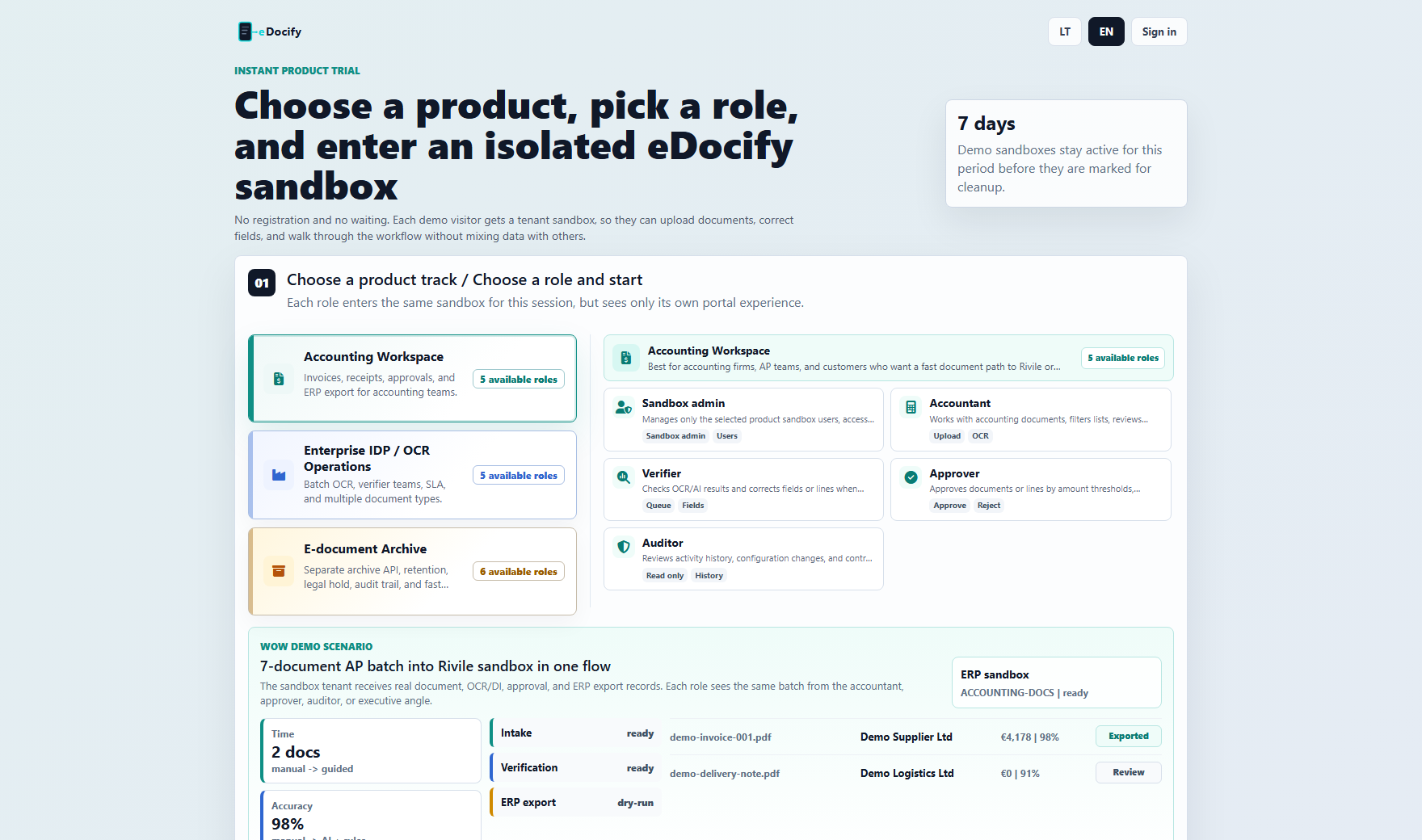
Demo sandbox lets a prospect test eDocify without registration. The user selects a product, selects a role, and enters an isolated tenant sandbox.
Demo goals
- Show product value quickly.
- Let users try different roles.
- Avoid mixing demo data between visitors.
- Keep system admin actions scoped to sandbox.
- Let Bitlogika track demo usage and interest.
Product selection
The demo page exposes three products:
- Accounting Workspace;
- Enterprise IDP / OCR Operations;
- e. Document Archive.
The selected product controls available roles, workspace navigation, theme accent, and sample scenario.
Role selection
Demo roles should show only the product-relevant menu:
- accountant should see accounting work, not full admin cockpit;
- verifier should see verification workbench;
- approver should see approval inbox;
- archive roles should see archive center, retention, reports, and evidence;
- AI learning role should see only internal learning workspace;
- sandbox admin should manage only selected product sandbox.
Sandbox isolation
Each visitor session should get:
- separate tenant id;
- separate demo documents;
- separate user scope;
- separate actions and events;
- expiration timestamp;
- cleanup state.
Isolation can be based on session id and browser state. IP address can help analytics but should not be the only sandbox key.
Demo admin visibility
Internal admins should see:
- active sandboxes;
- selected product;
- selected role;
- created time;
- expiration;
- document count;
- actions taken;
- failed actions;
- source IP and user agent where allowed;
- cleanup status.
Cleanup policy
Recommended defaults:
- demo sandbox lifetime: 7 days;
- inactive sandbox cleanup: daily;
- uploaded demo files: delete with sandbox;
- anonymize analytics after retention window.
Demo quality checklist
Before sending demo link to prospects:
- every product card opens;
- every role starts session;
- no "API unavailable" warning when backend is running;
- no role sees unrelated product administration;
- upload and verification path works;
- archive import/search path works;
- reports show product-specific data;
- buttons either work or are clearly disabled with reason.