Accuracy Studio and AI Learning
Accuracy Studio and AI Learning help eDocify improve recognition quality without losing control.
The problem
OCR accuracy cannot be trusted only because a provider returns a high confidence value. Confidence must be compared with real corrected data and golden datasets.
Golden dataset
A golden dataset is a set of documents with human-approved truth:
- original file;
- OCR raw text;
- expected header fields;
- expected line items;
- expected validation outcomes;
- supplier and document type metadata;
- synthetic demo data or explicitly approved customer samples for documentation and demos.
Recommended pilot target:
- 100-200 documents for a serious customer pilot;
- 500-2,000 documents for stable provider benchmark;
- coverage across suppliers, layouts, scans, languages, and line complexity.
Provider bake-off
Provider bake-off means running the same dataset through several routes:
- Azure Document Intelligence;
- Mistral OCR;
- OpenAI structured extraction;
- Tesseract + rules;
- RapidOCR + rules;
- RapidOCR/PaddleOCR + Ollama Qwen3 JSON route;
- PaddleOCR + rules;
- hybrid route.
Compare:
- field accuracy;
- line item accuracy;
- missing fields;
- false positives;
- latency;
- cost;
- error rate;
- review time.
The same documents must be used for every provider. Otherwise the benchmark is not trustworthy. A provider that looks like 99 percent on easy invoices may fail on scanned Lithuanian supplier invoices, mixed VAT documents, or long line tables.
Quality Engine
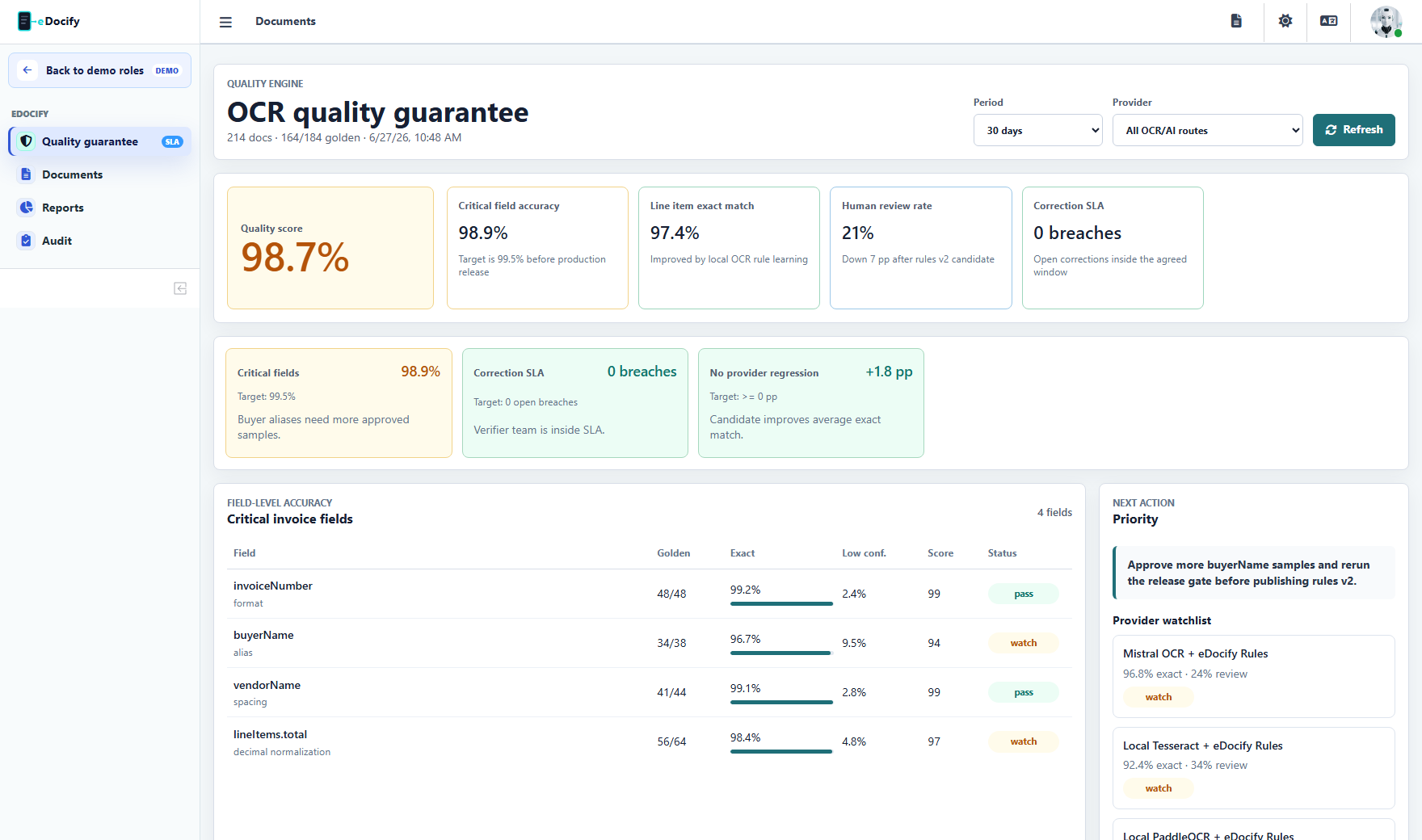
Quality Engine should show:
- critical field target, for example 99.5 percent after review;
- watch target, for example 97 percent before escalation;
- correction SLA;
- provider benchmark;
- QA sampling;
- line quality;
- customer-specific guarantee state.
AI Learning Engine screen
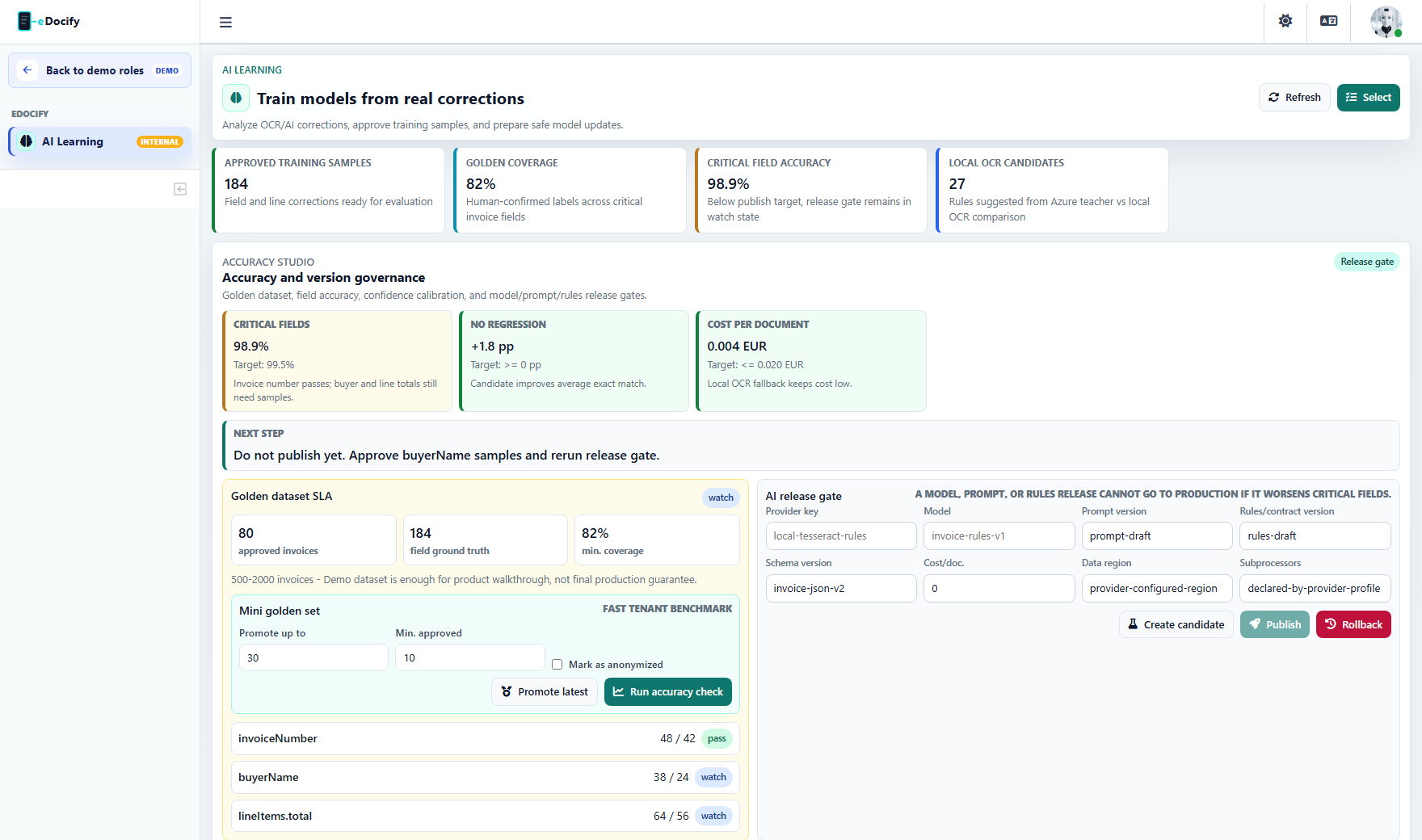
The AI Learning screen is for internal product governance and selected AI learning users. It should show only real signals, not seeded marketing data:
- learning samples captured from verifier corrections;
- approved, pending, and excluded training samples;
- field corrections and line corrections;
- OCR history coverage;
- provider benchmark by documents and samples;
- golden dataset coverage;
- release gate status;
- local OCR teacher/student experiments;
- export preview for offline analysis.
The purpose is to answer practical questions:
- Which provider is best for this customer and document type?
- Which fields are still weak?
- Did a new prompt improve lines or only headers?
- Can local Tesseract, RapidOCR, or PaddleOCR handle this supplier after rule learning?
- Which corrections are reliable enough to become training data?
Release gate
New model, prompt, provider, or rule version should pass a release gate:
- Select dataset and customer scope.
- Run current production version.
- Run candidate version.
- Compare field and line accuracy.
- Mark improved, neutral, or regressed fields.
- Require approval for publish.
- Keep rollback available.
Human correction loop
Corrections are training signals:
- original value;
- corrected value;
- field key;
- document type;
- supplier;
- OCR text;
- provider;
- reason;
- user and timestamp.
These signals can feed:
- rule suggestions;
- supplier memory;
- field candidate ranking;
- provider routing;
- model evaluation.
Azure teacher mode
Azure Document Intelligence can be used as a teacher during early training:
- run premium extraction;
- store structured result;
- run local OCR on same document;
- compare local OCR + rules to Azure structure;
- learn supplier patterns;
- improve local rule extraction;
- benchmark cost reduction.
Human-approved golden data remains stronger than provider-to-provider comparison.
Teacher mode is not a replacement for human truth. It is a cost-reduction accelerator: use Azure to create a strong baseline, compare local OCR + rules against it, find patterns, and then validate the result with human-approved golden samples before making a quality guarantee.