Document fields, lists, and client hierarchy
eDocify is not limited to one fixed invoice form. Each client profile can define which fields exist, how they appear in the document card, which values are required, which lists are used for lookup, and which rules run before verification, approval, and ERP export.
This is the configuration layer that turns generic OCR into a client-specific document operations product.
Client profile fields
Client Profile Engine controls the document card for a client or company. A profile defines document type, OCR/AI provider, ERP profile, structuring mode, line approval behavior, custom fields, client lists, and approval policy selection.
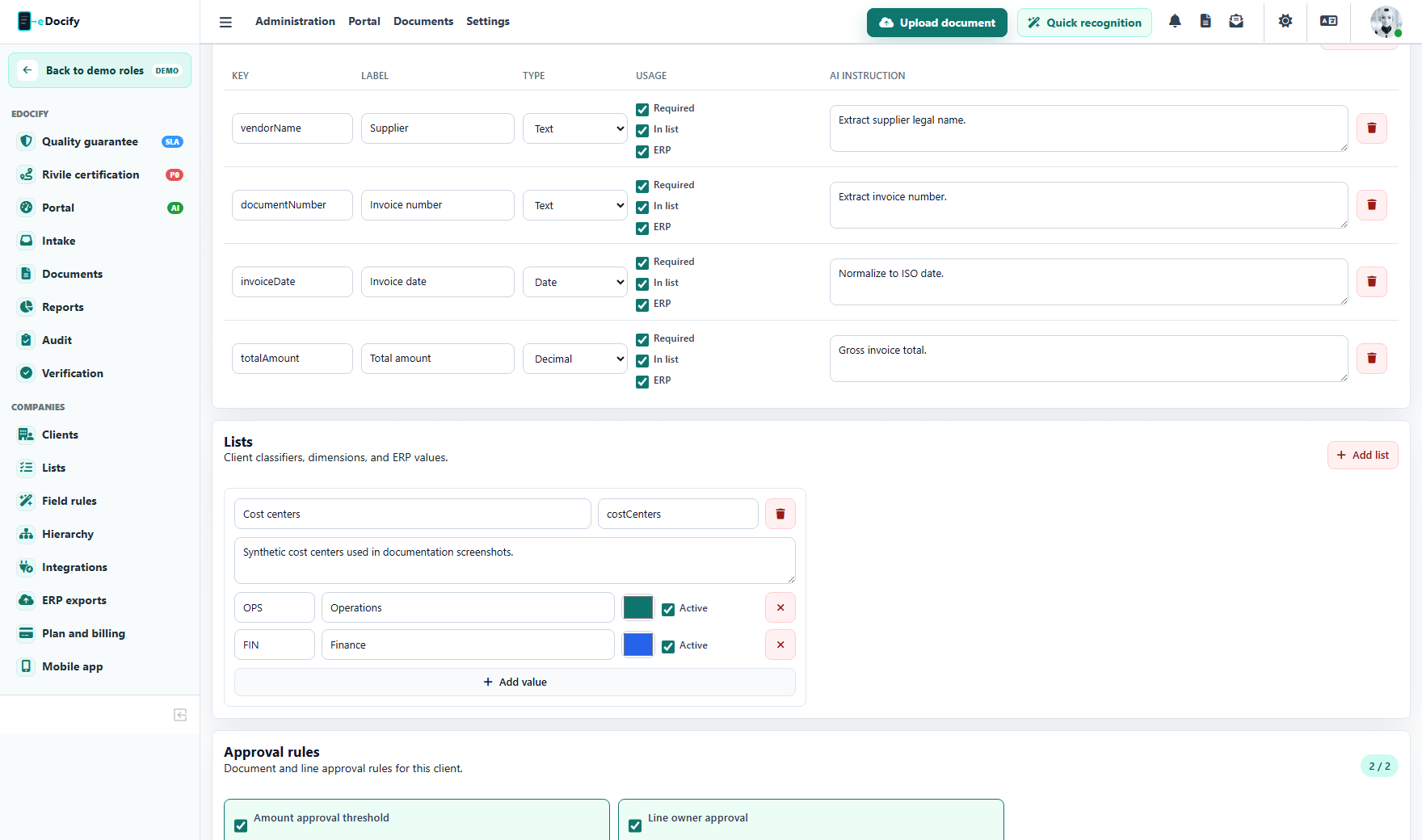
Each field can define:
| Setting | Purpose |
|---|---|
| Field key | Stable internal key used by OCR/AI, processing rules, verification UI, approval, export, and archive. |
| Label | User-facing name shown in the document card. |
| Type | Text, date, decimal, dictionary, or another supported field type. |
| Required | Missing value blocks auto-approval or export. |
| Show in list | Field can appear as a column in the document list. |
| Used for ERP | Field is included in export mapping and dry-run validation. |
| AI instruction | Field-specific extraction hint used by OCR/AI structuring. |
Typical examples:
- supplier;
- supplier code;
- buyer;
- invoice number;
- invoice date;
- due date;
- net amount;
- VAT amount;
- total amount;
- currency;
- cost center;
- project;
- line approver.
Document card behavior
The document card should be generated from the active client profile, not hardcoded for every customer. This allows one client to use a compact accounting card and another client to use a richer enterprise IDP card.
The same field definition can drive:
- header field visibility;
- list column visibility;
- field order;
- required field validation;
- OCR/AI prompt context;
- field processing rule targeting;
- lookup binding;
- approval rule conditions;
- ERP mapping;
- archive metadata;
- reporting dimensions.
Field Processing Studio
After OCR/AI extracts a raw value, Field Processing Studio can transform and validate it before the verifier sees it.
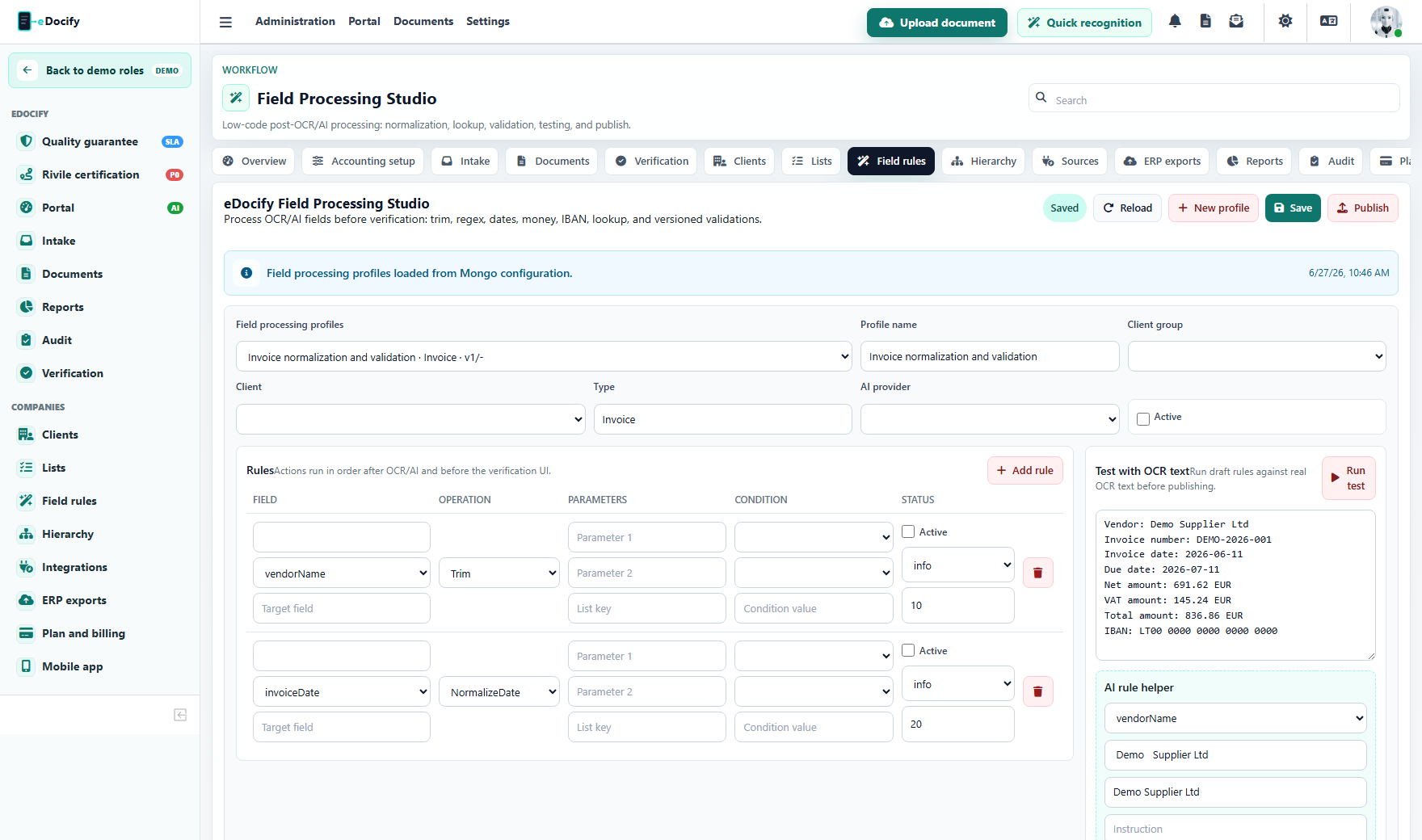
Rules can run by field, client group, company, document type, and OCR/AI provider. The profile can be drafted, tested, published, audited, and rolled back.
Examples:
- trim supplier name;
- collapse multiple spaces;
- normalize invoice date;
- normalize decimal separators;
- extract supplier code from text;
- convert VAT rate to a standard value;
- validate IBAN;
- lookup supplier by IBAN or company code;
- map cost center from a client dictionary;
- block export when a critical field is missing.
Recommended processing chain:
flowchart LR
  A["OCR / AI raw field"] --> B["Field Processing Studio"]
  B --> C["Reference list lookup"]
  C --> D["Validation checks"]
  D --> E["Verification card"]
  E --> F["Approval / ERP / Archive"]
Reference data lists
Reference Data Center manages the dictionaries and lookup tables used by document cards, rules, approval, and ERP export.
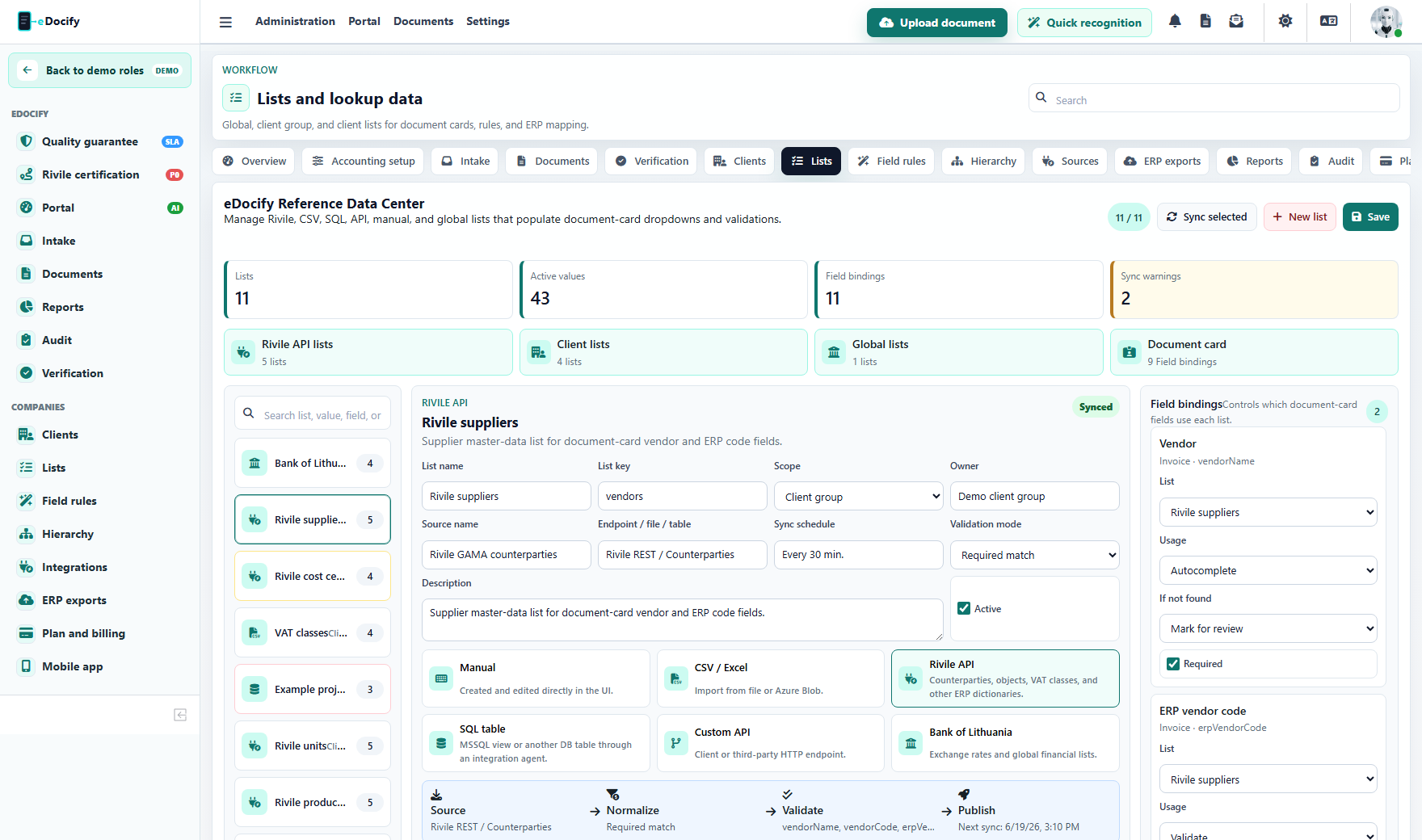
Lists can be scoped as:
- global;
- tenant group;
- client/company.
Lists can come from:
- manual UI entry;
- CSV or Excel import;
- ERP API such as Rivile;
- custom API;
- database view;
- public source such as currency rates.
Each list defines source name, source endpoint, sync schedule, validation mode, active state, and list items.
Lookup bindings
Lookup bindings connect a document card field to a reference list. For example:
supplierCodeuses the supplier list;costCenteruses the cost center list;projectCodeuses the project list;currencyRateuses a currency-rate list;lineApproveruses a department owner list.
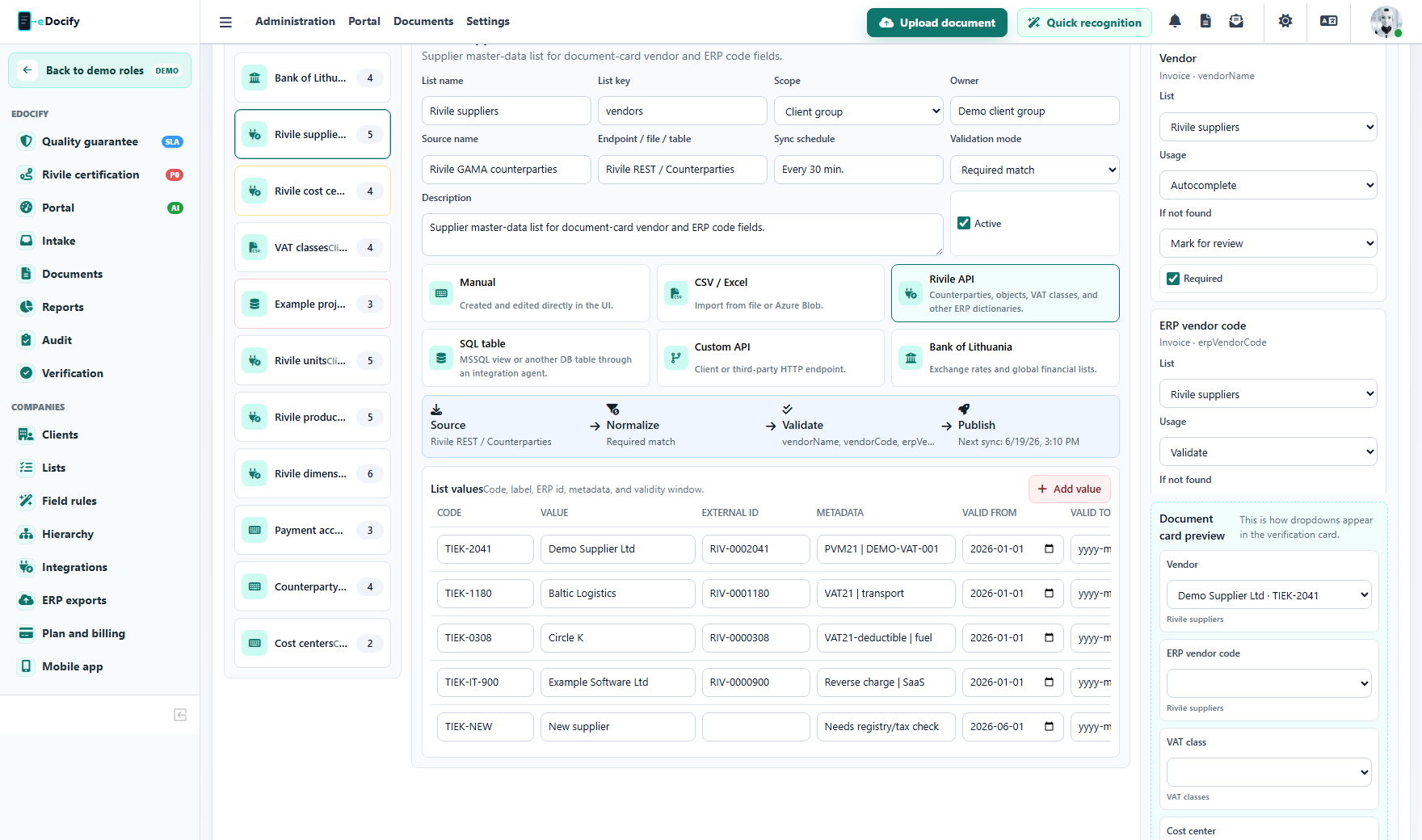
Binding behavior can be configured:
| Mode | Behavior |
|---|---|
| Dropdown | User must choose from a list. |
| Autocomplete | User can search a large list. |
| Validate | Extracted OCR/AI value is checked against the list. |
| Enrich | A matched value adds extra metadata, such as ERP code or approver. |
Fallback behavior can allow free text, mark the field for review, or clear invalid values.
Client hierarchy and governance
Client hierarchy controls where users, companies, products, lists, approval rules, and integrations belong.
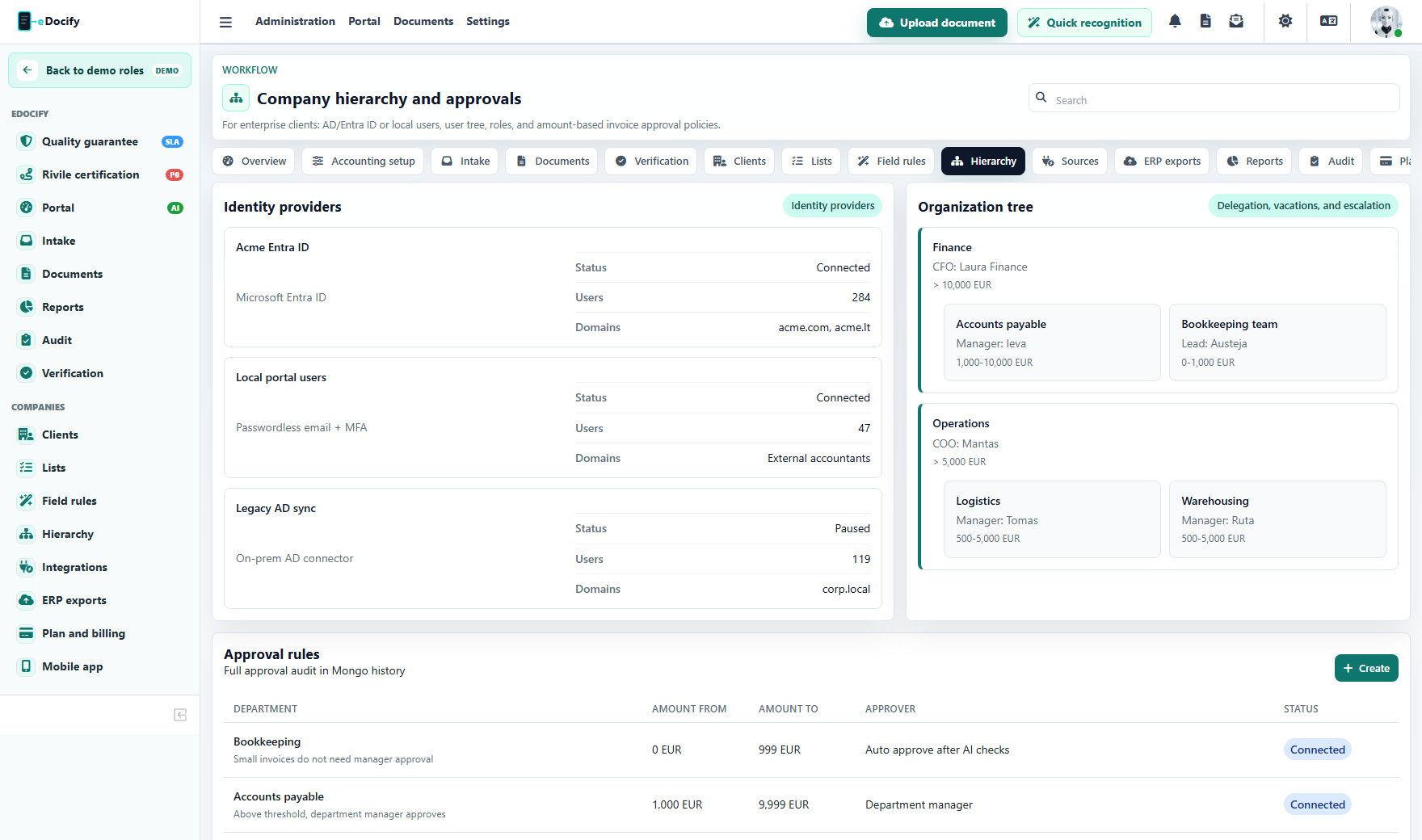
The hierarchy should support:
- tenant group;
- several companies under one group;
- clients under an accounting service company;
- departments;
- teams;
- roles;
- substitutes and delegations;
- amount thresholds;
- line-level approval owners;
- product access by role.
Why hierarchy matters
The same user role is not enough in enterprise deployments. A CLIENT_ADMIN can manage one client, but should not manage every client in the tenant. A verifier may work only in one queue. An approver may approve only one department or only invoices below a limit.
Good authorization combines:
- role;
- tenant scope;
- company/client scope;
- product profile;
- document type;
- queue;
- approval policy;
- resource ownership.
Implementation checklist
For each new client:
- Create or select client profile.
- Define document types.
- Configure document card fields.
- Mark required, list-visible, and ERP-used fields.
- Add AI instructions for fields that need special extraction.
- Create reference lists or connect ERP/API/CSV sources.
- Bind document fields to lists.
- Add field processing rules.
- Configure hierarchy, roles, delegations, and approval thresholds.
- Test with real documents before publishing.