Field Processing Studio
Field Processing Studio is the layer between OCR/AI extraction and verification. It transforms raw recognized values into business-ready values.
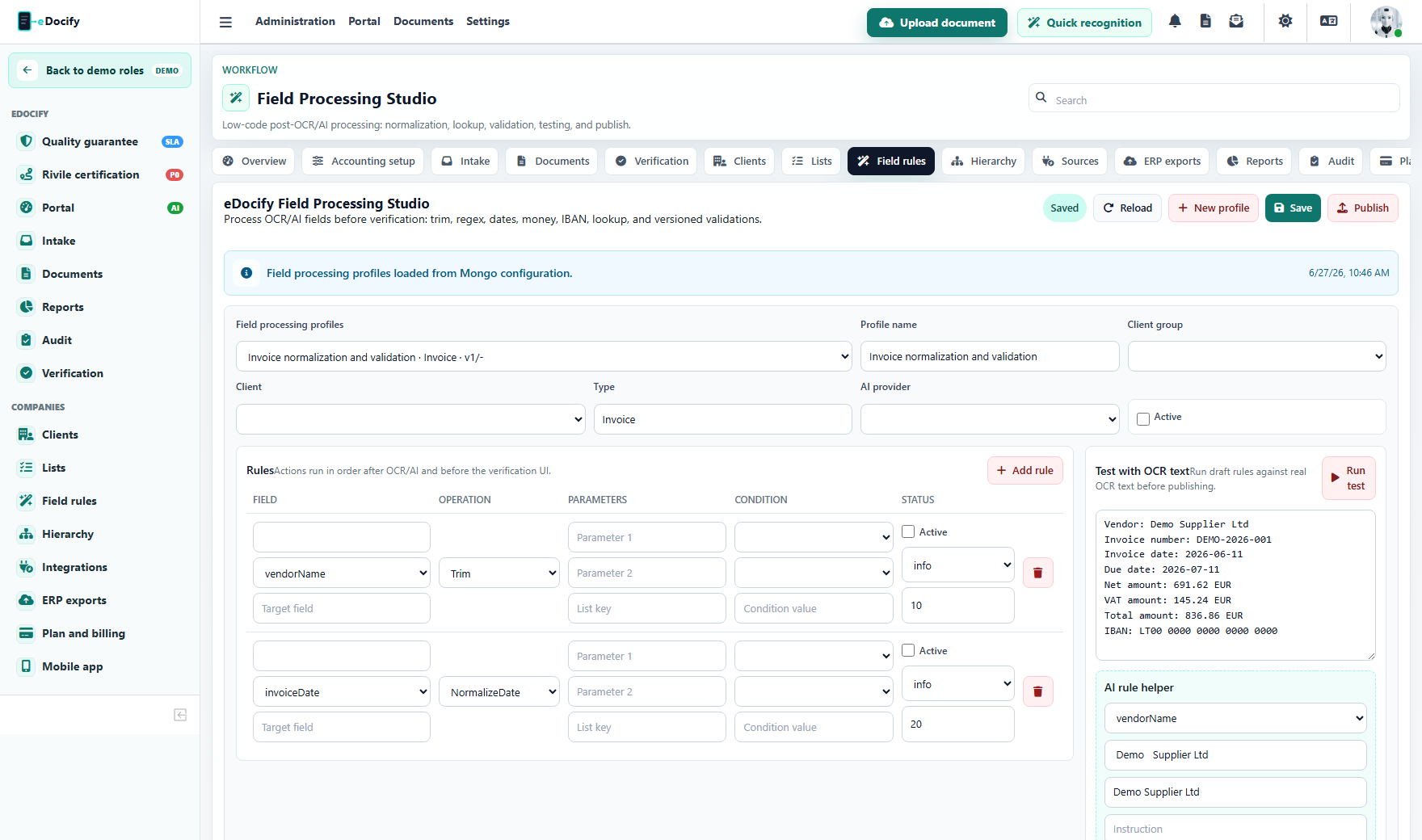
Why it exists
OCR can recognize a value, but the business may need:
- trimming;
- replacing text;
- extracting part of a string;
- normalizing dates;
- converting decimal separators;
- validating IBAN;
- mapping supplier name to ERP supplier code;
- enriching value from a reference list;
- calculating or checking VAT;
- rejecting impossible values.
Older enterprise OCR products used scripting for this. eDocify uses a safer two-level model.
Field rules use the same field keys that are configured in the Document fields, lists, and client hierarchy module. This keeps the document card, OCR/AI extraction, lookup lists, validation, approval, and ERP export aligned.
Rule levels
Low-code rules
Recommended for most users:
- Trim;
- Regex replace;
- Substring;
- Split;
- Concat;
- Normalize date;
- Normalize amount;
- Normalize VAT rate;
- Lookup;
- Map value;
- Required field;
- Conditional validation.
Advanced script
Reserved for system administrators. It should run in sandbox, with timeout, without filesystem or network access, and with full audit.
Rule scope
Rules can be scoped by:
- tenant;
- client group;
- company;
- document type;
- OCR/AI provider;
- field key;
- supplier;
- version.
Processing order
Rules run in defined order. A rule can be active, draft, published, or rolled back.
flowchart LR
  A["OCR / AI raw value"] --> B["Field Processing Engine"]
  B --> C["Validation Engine"]
  C --> D["Verification UI"]
  D --> E["Approval and ERP export"]
Test before publish
Before publishing, a rule profile should be tested with real OCR text:
- paste OCR text;
- run draft rules;
- inspect before/after values;
- inspect warnings;
- compare against expected fields;
- publish only after validation.
AI assistance
AI can propose rules from examples:
- "supplier name contains extra spaces";
- "invoice number includes prefix that ERP does not need";
- "date format is DD.MM.YYYY";
- "amount uses comma decimal separator";
- "IBAN is present but has spaces".
AI suggestions should remain draft until an admin tests and publishes them.
Audit and rollback
Every published change should store:
- author;
- timestamp;
- reason;
- previous version;
- new version;
- affected client and document type;
- test sample;
- rollback option.