e. Document Archive
e. Document Archive is the eDocify product for long-term document storage, retention, legal hold, audit evidence, and operational search.
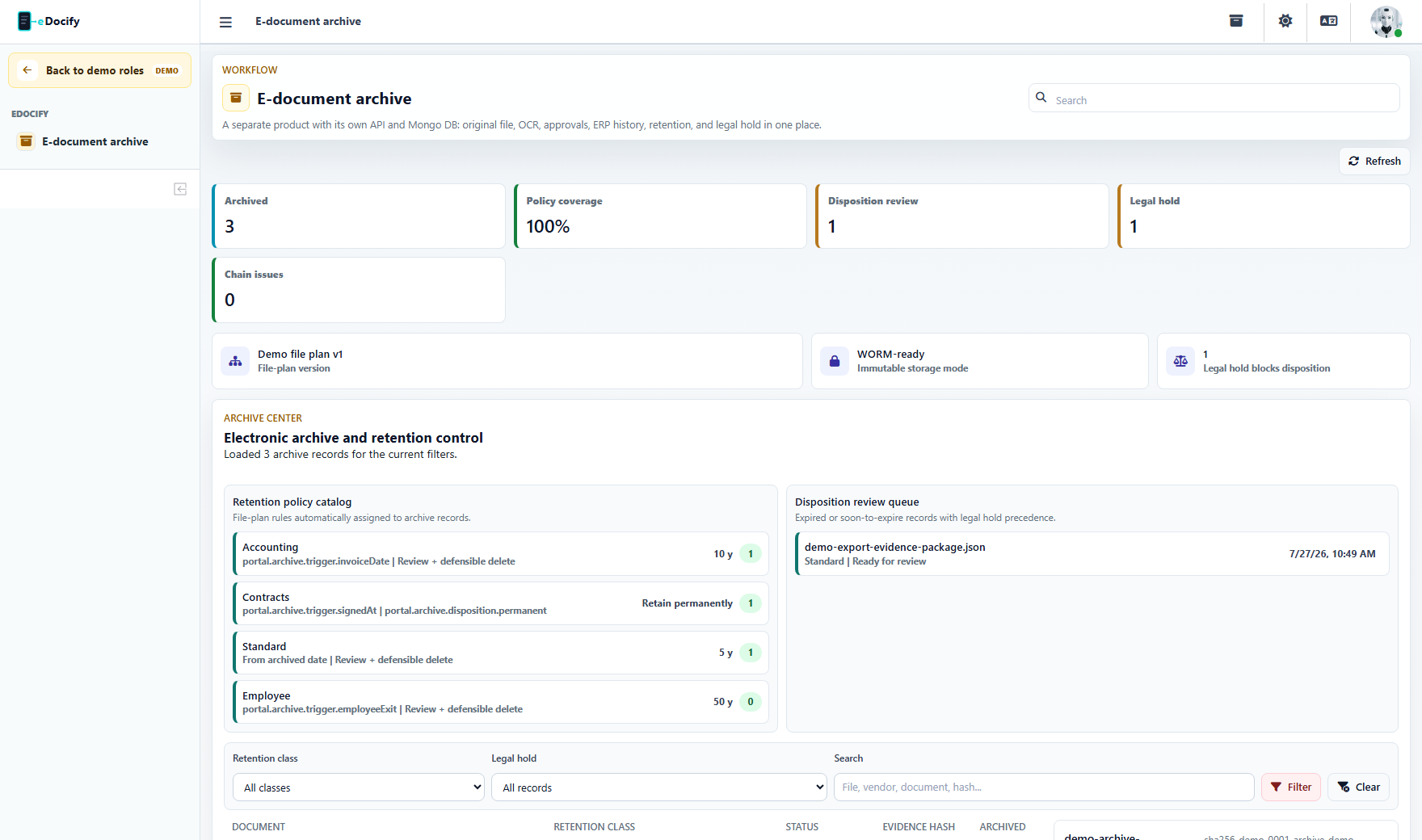
For role-by-role screenshots and menu boundaries, use the E-document Archive role guide.
Who it is for
- Records managers.
- Auditors.
- Compliance teams.
- Accounting teams that need invoice evidence after ERP export.
- Companies that want one controlled archive for documents processed through eDocify and imported directly.
Main business promise
The archive turns processed documents into controlled records. It is not only file storage. It keeps metadata, OCR text, extracted fields, approval evidence, export evidence, retention policy, legal hold status, event chain, and disposition state.
Archive sources
Documents can enter the archive from:
- completed accounting workflow;
- ERP-exported documents;
- manual archive import;
- API import;
- bulk archive actions from document lists;
- future SFTP or scanner source;
- migration from legacy repositories.
Archive record structure
An archive record can include:
- original file;
- normalized preservation copy;
- OCR text snapshot;
- extracted fields;
- line items;
- source document id;
- retention class;
- retention until date;
- legal hold state;
- tags and notes;
- approval steps;
- export jobs;
- audit events;
- event chain hash;
- evidence package.
Retention and legal hold
Retention policies define how long records should be kept. Legal hold can override normal disposition when there is an audit, dispute, investigation, or internal compliance reason.
Typical retention classes:
- accounting;
- contracts;
- employee documents;
- standard business documents;
- permanent records.
Disposition workflow
The archive should not simply delete expired files. Enterprise disposition needs review:
- The system identifies records that reached retention date.
- Records blocked by legal hold or policy gaps remain protected.
- Records ready for disposition enter a review queue.
- A records manager approves deletion or defers it.
- Every decision is audited.
Search and discovery
Search should combine:
- file name;
- source reference;
- tags;
- extracted supplier/customer fields;
- OCR text;
- dates and amounts;
- retention class;
- legal hold state;
- archive status.
Evidence package
Evidence package is useful for auditors. It should include:
- file metadata;
- OCR snapshot;
- extracted fields;
- approvals;
- export history;
- archive event timeline;
- integrity information.
Real use cases
Accounting archive after export
After invoice export to ERP, the document is archived with OCR text, fields, approval evidence, and export payload. Later the accountant or auditor can search by invoice number, supplier, amount, or ERP reference.
Compliance legal hold
An auditor places legal hold on records related to a supplier dispute. Retention continues to be tracked, but disposition is blocked until the hold is released.
Legacy archive migration
Old scanned PDFs can be imported into the archive with basic metadata, then OCR text is added for search. More important records can be enriched with document type fields later.
Roles in this product
| Role | Responsibility |
|---|---|
| Archivist | Imports, searches, reviews archive records. |
| Records Manager | Manages retention, legal hold, disposition decisions. |
| Archive Auditor | Reads archive records, evidence, and audit events. |
| Integration Admin | Configures API or migration intake. |
| Viewer | Searches and opens allowed documents. |
| System Admin | Manages archive product configuration inside allowed tenant scope. |