AI learning user guide
AI learning user is an internal governance role. It should not be visible to normal accounting, archive, or customer viewer users. This role works with samples, golden datasets, provider benchmarks, release gates, and local OCR learning.
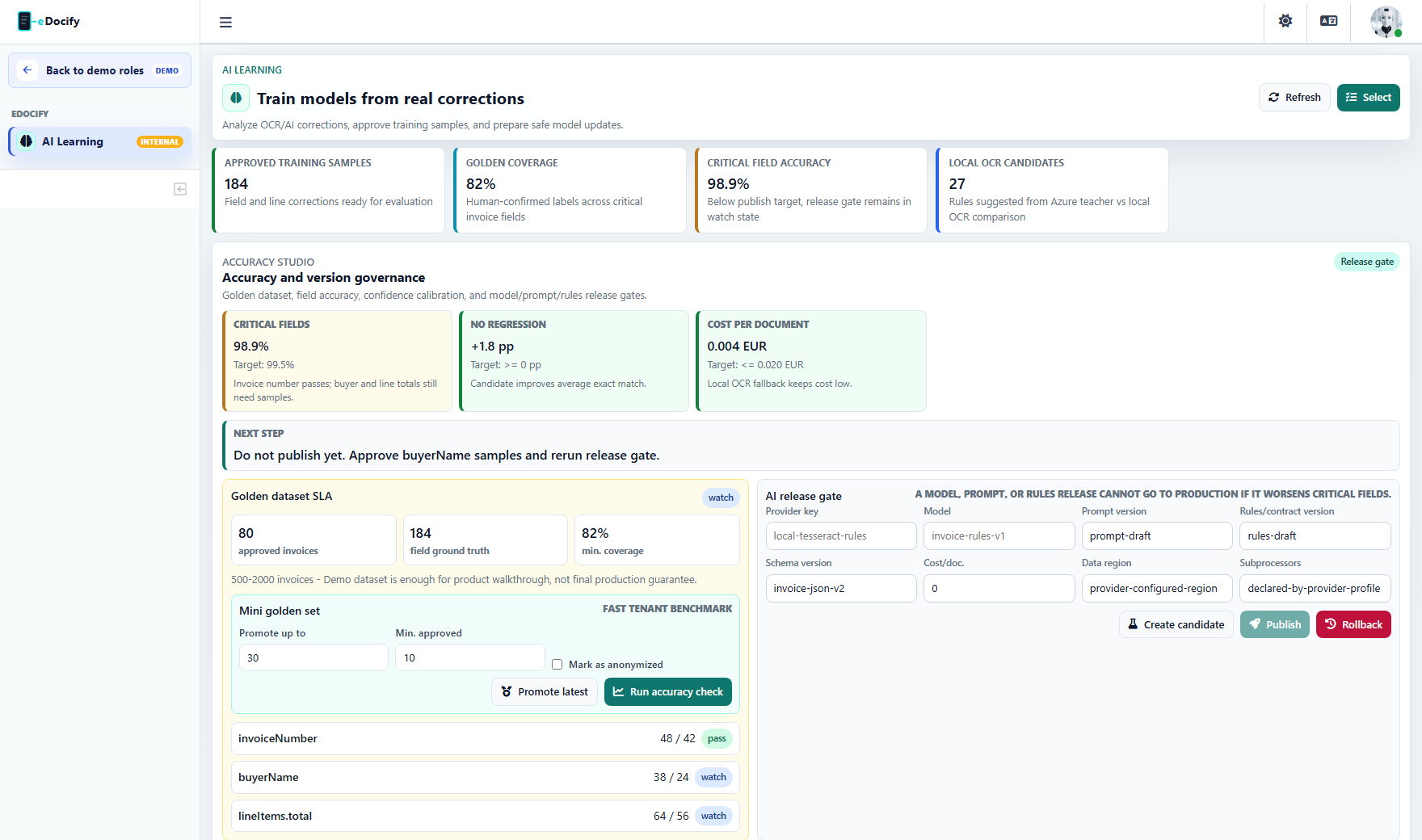
What this role can do
| Area | Actions |
|---|---|
| Learning samples | Review, approve, exclude, and export samples captured from verification corrections. |
| Golden datasets | Promote trusted samples into controlled benchmark sets. |
| Provider benchmark | Compare Azure, Mistral, OpenAI-style extraction, Tesseract, RapidOCR, PaddleOCR, Ollama Qwen3 JSON routes, rules, and hybrid routes. |
| Release gates | Create, compare, publish, and rollback model/prompt/rule/provider versions. |
| Local OCR learning | Use teacher/student experiments to improve local OCR and rule extraction. |
| Quality analysis | Inspect field-level accuracy, line accuracy, confidence calibration, and correction SLA. |
Workflow
- Refresh dashboard and verify the sample count.
- Select pending samples.
- Exclude noisy or invalid samples.
- Approve reliable samples.
- Promote a subset to mini-golden dataset.
- Run mini-golden accuracy.
- Create a release candidate.
- Publish only if critical fields and line metrics do not regress.
- Roll back if a provider or prompt performs worse.
Quality Engine
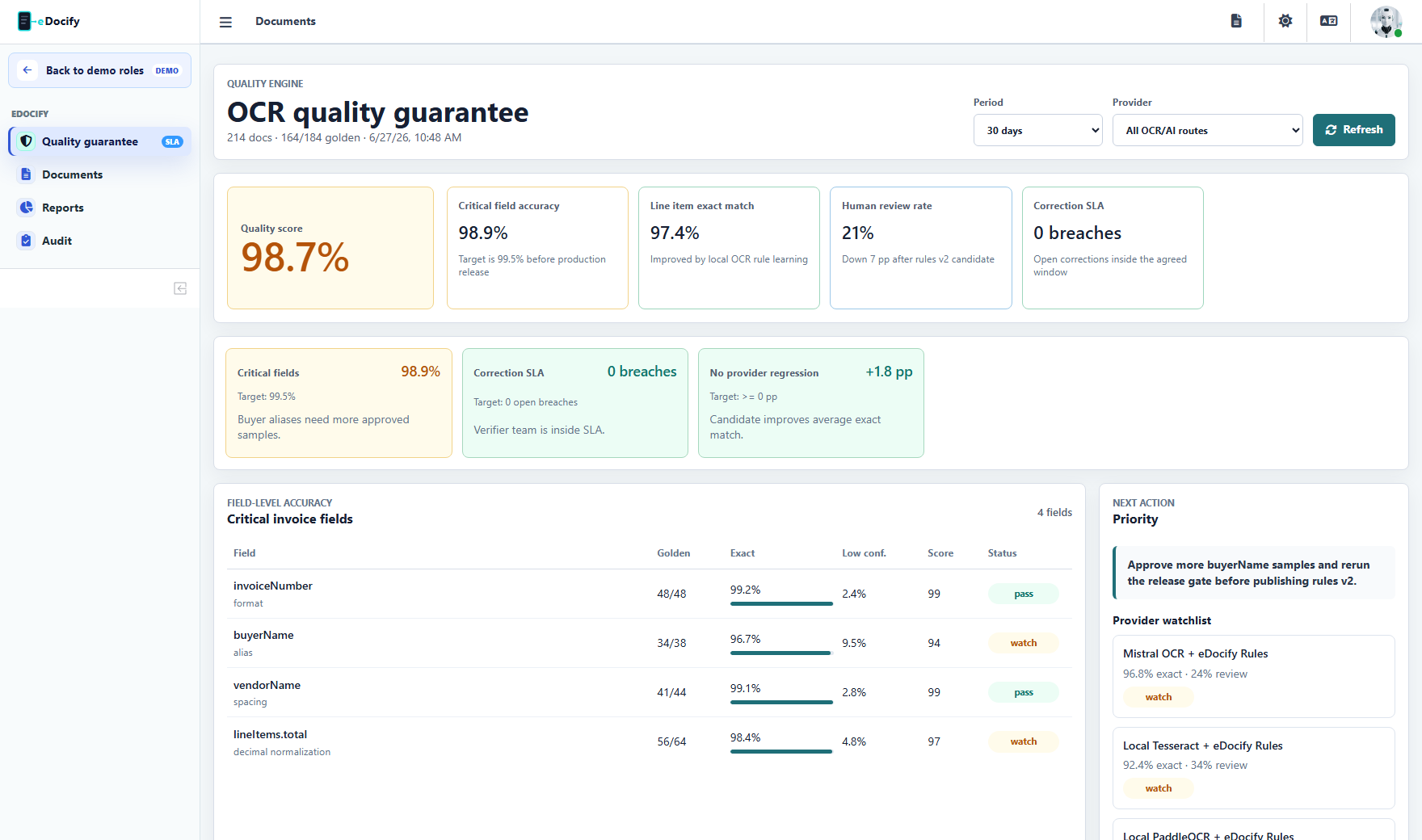
Quality Engine should turn technical OCR metrics into an operational guarantee:
- critical field target;
- line item target;
- correction SLA;
- QA sampling;
- provider regression;
- customer-specific accuracy state.
What this role must not do
- It must not edit customer billing.
- It must not manage unrelated tenant users.
- It must not expose raw customer data outside approved training policy.
- It must not publish a model or prompt without release gate comparison.
Demo test path
- Enter the IDP demo as AI Learning specialist.
- Confirm only AI Learning is visible in the menu.
- Refresh dashboard.
- Run mini-golden accuracy.
- Create a release candidate and verify publish/rollback controls are visible.