Approver guide
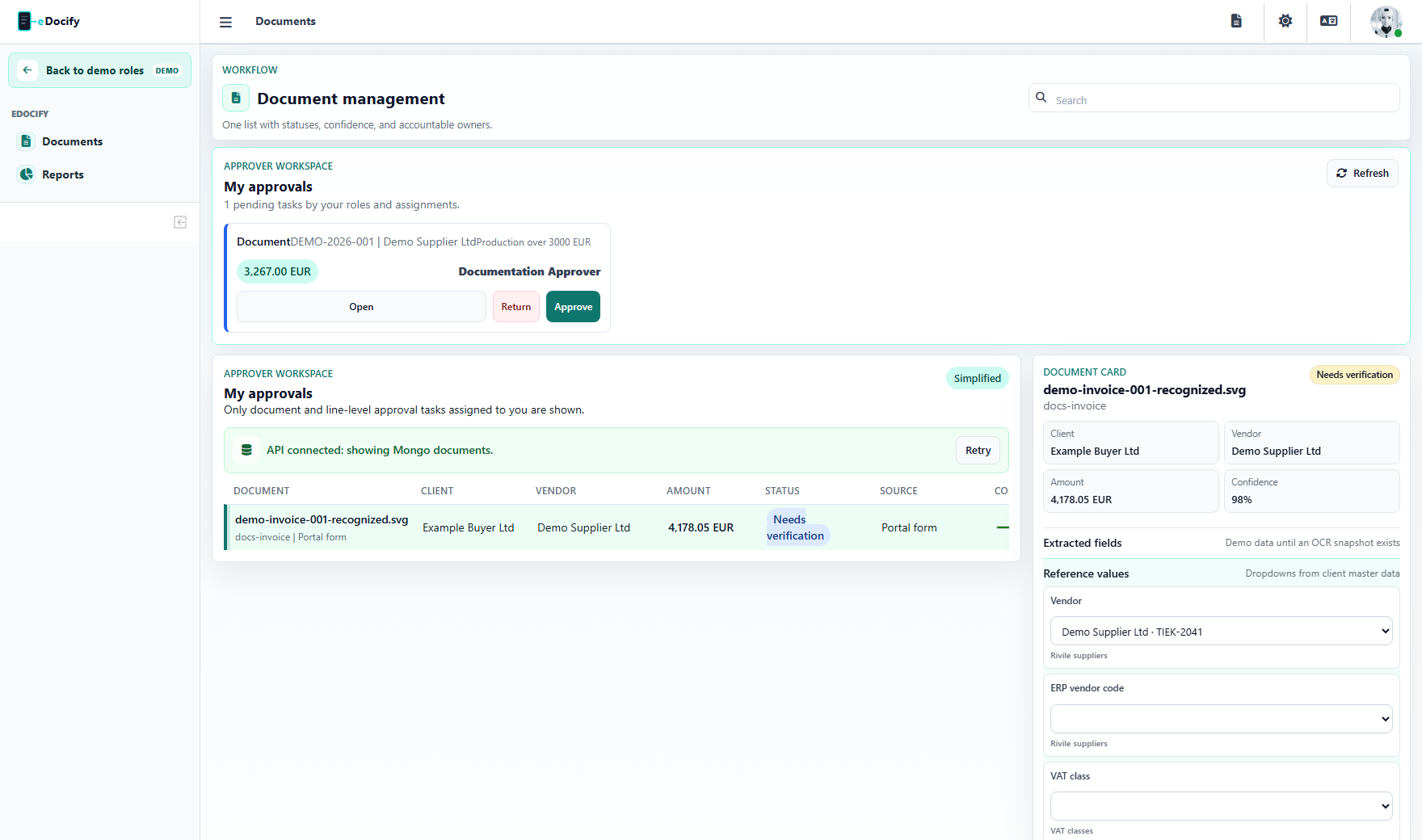
Approver handles assigned document and line-level approval tasks. This role should be calm and narrow: approve, reject, review context, and understand why the task was assigned.
Visible menu
In Accounting Workspace, Approver sees:
- Documents;
- Reports.
Approval task types
| Type | Example |
|---|---|
| Document approval | Total amount exceeds approval threshold. |
| Line approval | A specific line belongs to a department, project, or cost center. |
| Risk approval | Duplicate, changed bank account, low confidence, or unusual supplier. |
| Escalated approval | Normal approver is unavailable or amount requires senior approval. |
What approver should see
- document or line that needs approval;
- amount and currency;
- vendor and buyer;
- reason for approval;
- confidence and risk flags;
- comments and history;
- attachments if needed;
- approve and reject actions.
What approver should not see
- global intake setup;
- OCR provider configuration;
- AI Learning;
- other users' approval tasks unless delegated;
- unrelated ERP credentials or secrets.
Decision workflow
- Open approval queue.
- Select task.
- Review reason, document preview, and relevant fields.
- Approve or reject.
- Add comment if rejecting or escalating.
- Confirm audit history records the decision.
Demo test path
- Enter Accounting Workspace as Approver.
- Open Documents with approval view.
- Select an approval task.
- Approve and reject test tasks in the sandbox.
- Confirm the decision is visible in document history.