Auditor guide
Auditor is a read-focused role. It reviews what happened, who did it, when it happened, from which product and tenant context, and why the system allowed or blocked the action.
Product scope
| Product | Auditor focus |
|---|---|
| Accounting Workspace | Document, approval, ERP export, and accounting workflow evidence. |
| Enterprise IDP / OCR Operations | Quality guarantee, OCR/AI provider accuracy, verifier work, and QA sampling. |
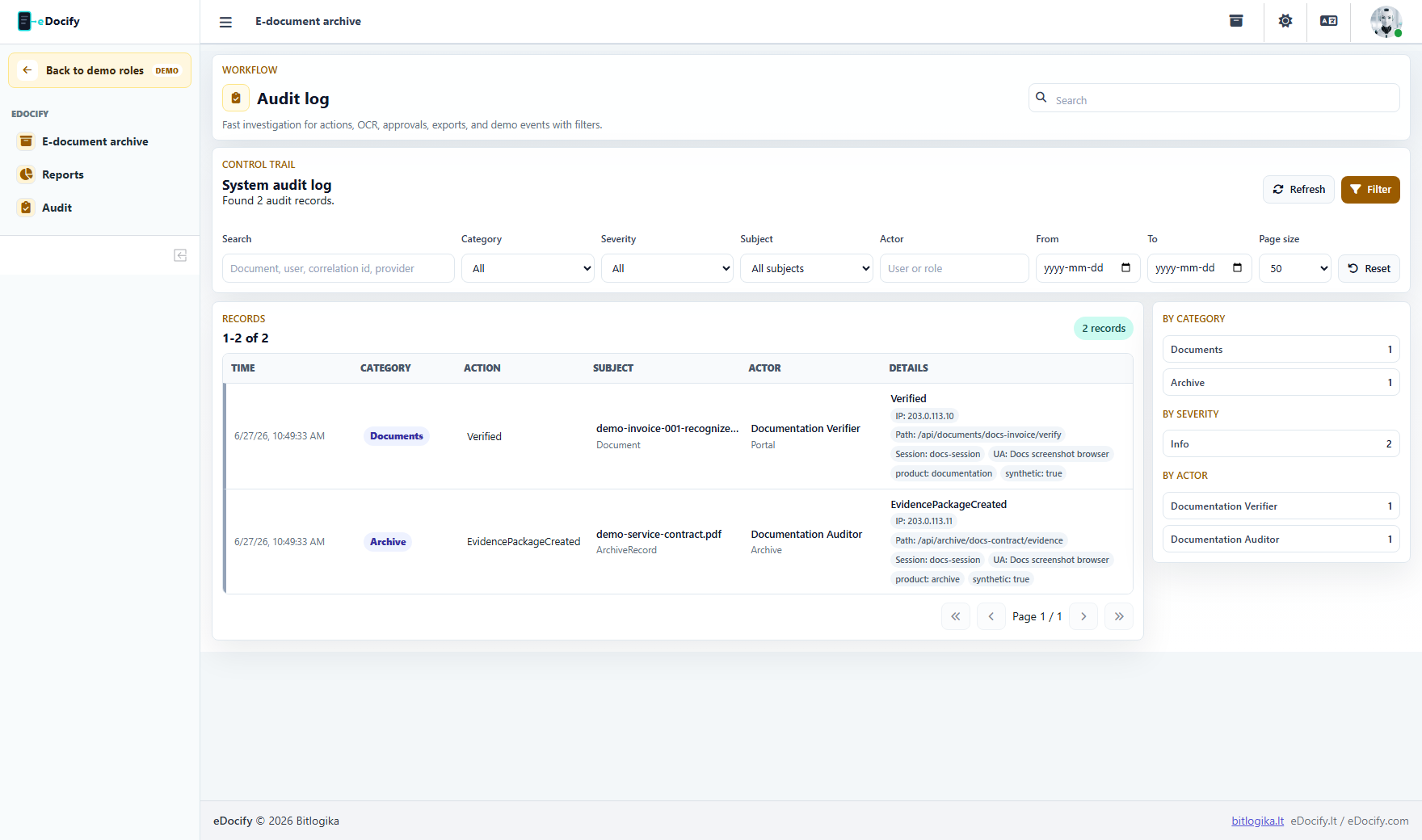
| E-document Archive | Retention, legal hold, disposition, evidence package, and archive event chain. |
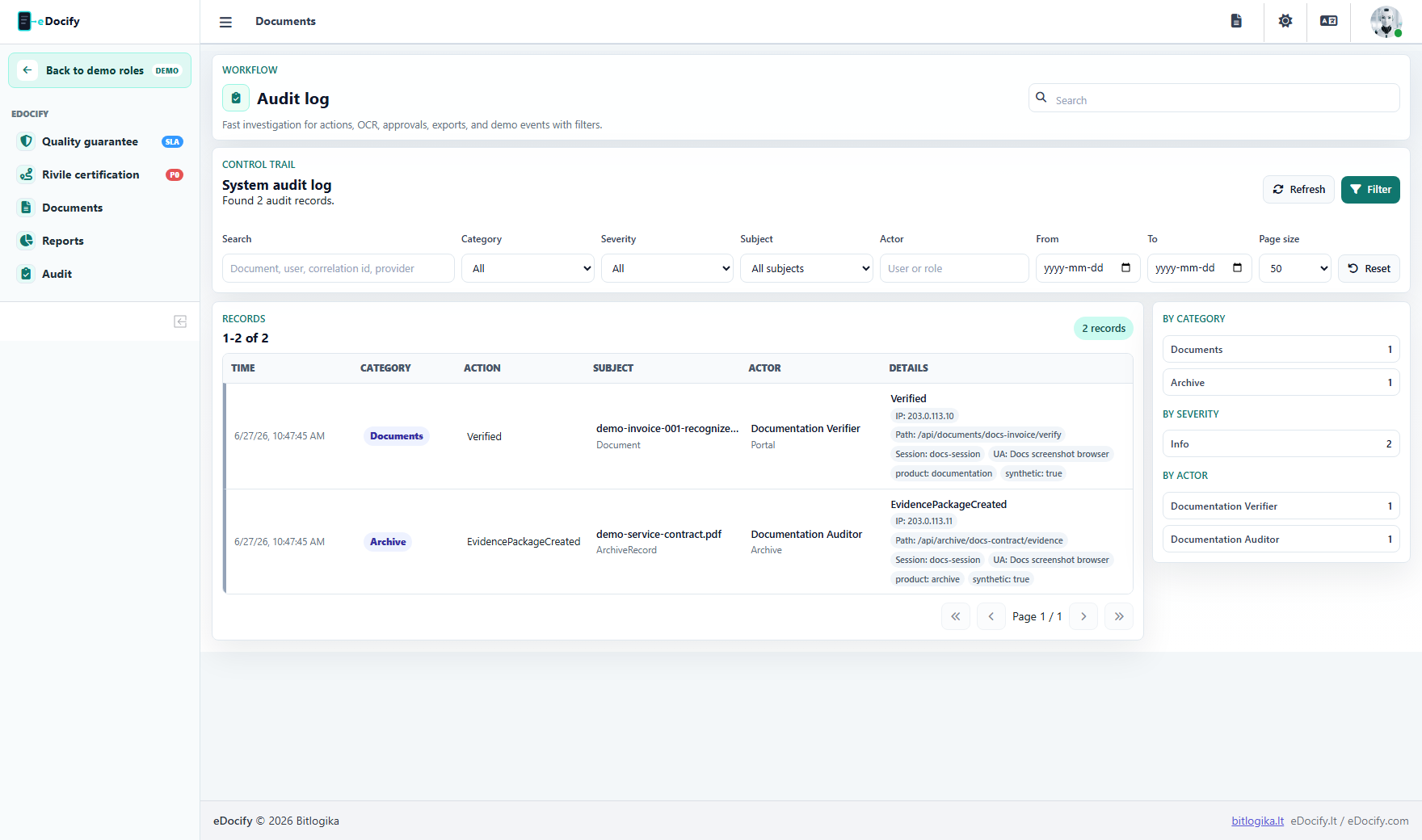
Audit filters
Auditor should be able to filter by:
- category;
- severity;
- actor;
- subject type;
- tenant;
- client or company;
- document id;
- date range;
- IP or session context where available;
- page size.
Quality review
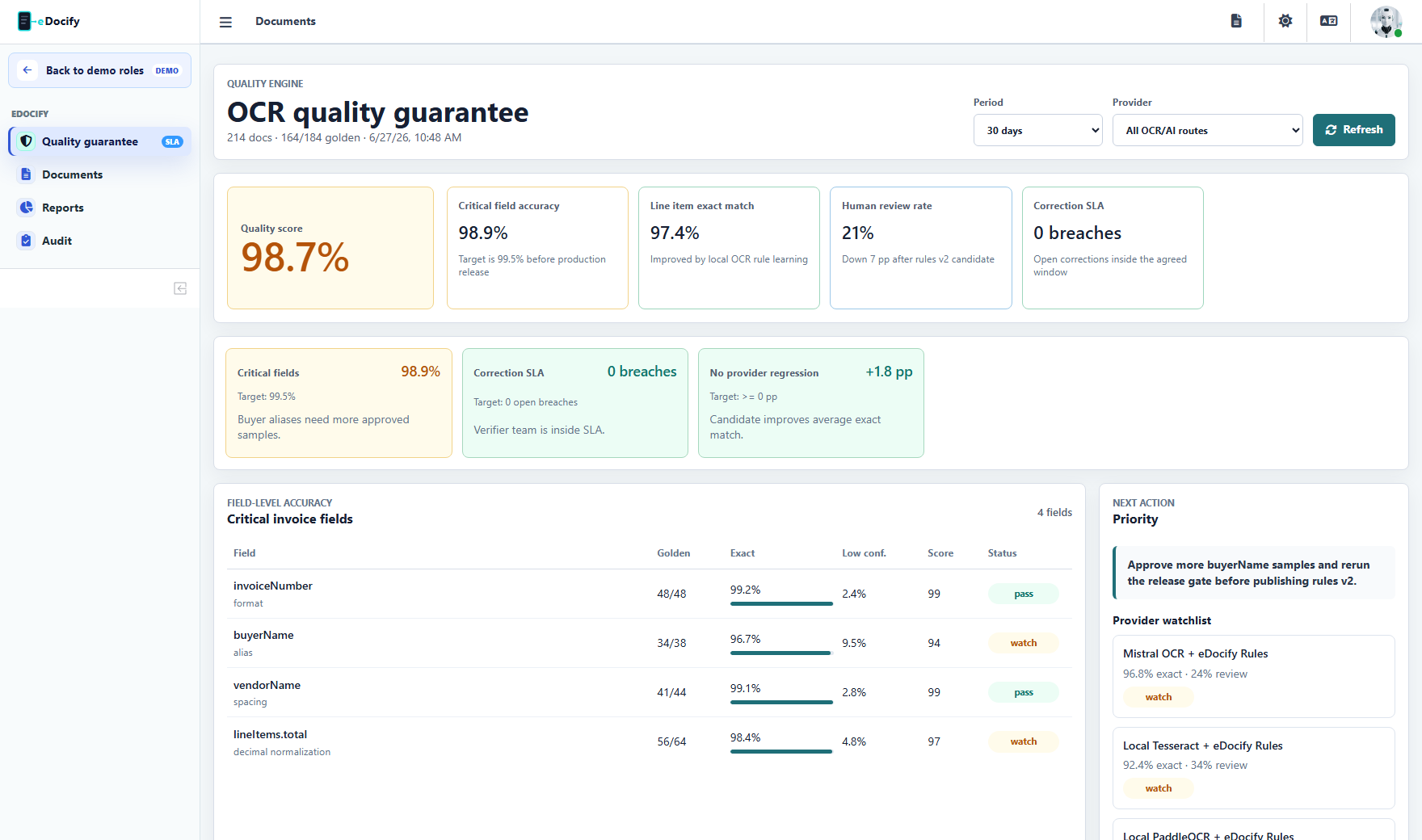
Quality evidence should include:
- field-level accuracy;
- line-level accuracy;
- provider benchmark;
- release gate status;
- QA sampling status;
- correction SLA;
- customer-specific quality guarantee state.
Archive evidence
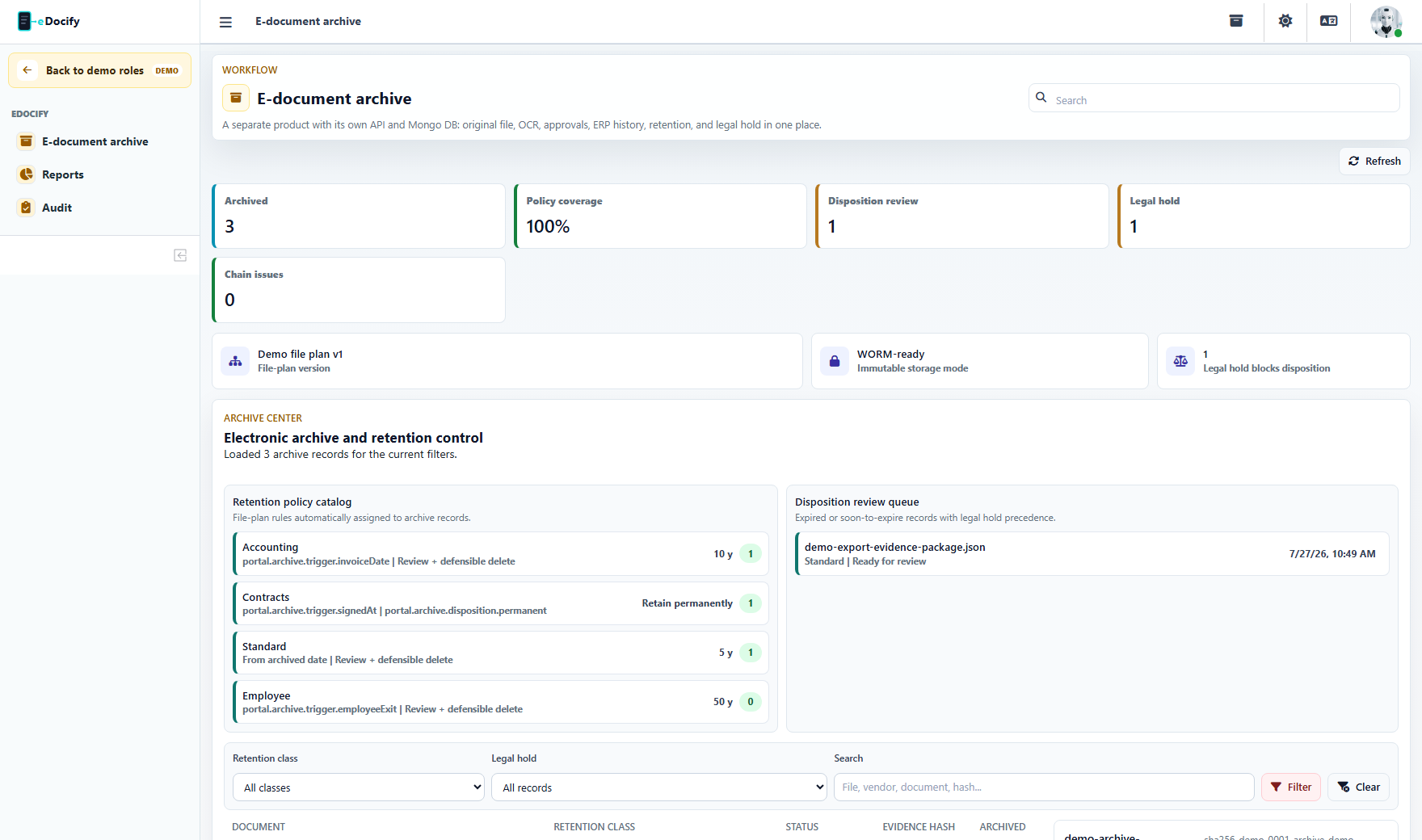
Archive auditor reviews:
- original file;
- preserved copy;
- metadata;
- hash;
- retention class;
- legal hold;
- event chain;
- evidence package.
What auditor should not do
- edit documents;
- approve documents unless another role grants it;
- change retention policies;
- configure OCR providers;
- change users or billing.
Demo test path
- Enter as Auditor.
- Open Audit.
- Apply category and severity filters.
- Open Reports.
- In archive product, open record evidence and download evidence package if allowed.
- Confirm no edit or admin-only actions are visible.