System admin guide
System admin is the highest operational role. It can configure product sandboxes, tenant groups, client profiles, users, roles, security settings, billing, integrations, and product-level governance.
System admin access must be treated as privileged access. In production, global system access should require a reason, time limit, 2FA, and complete audit logging.
Product entry points
| Product | Main menu areas | Primary outcome |
|---|---|---|
| Accounting Workspace | Accounting setup, Intake, Documents, Clients, Lists, Field rules, Hierarchy, Integrations, ERP exports, Reports, Audit, Billing | Configure a full AP automation flow. |
| Enterprise IDP / OCR Operations | Intake, Documents, Verification, AI Learning, Quality guarantee, Integrations, Reports, Audit | Configure and govern a high-volume OCR operation. |
| E-document Archive | E-document archive, Clients, Lists, Hierarchy, Integrations, Reports, Audit, Billing | Configure retention-aware archive operations. |
Daily tasks
| Task | Where to do it | Expected result |
|---|---|---|
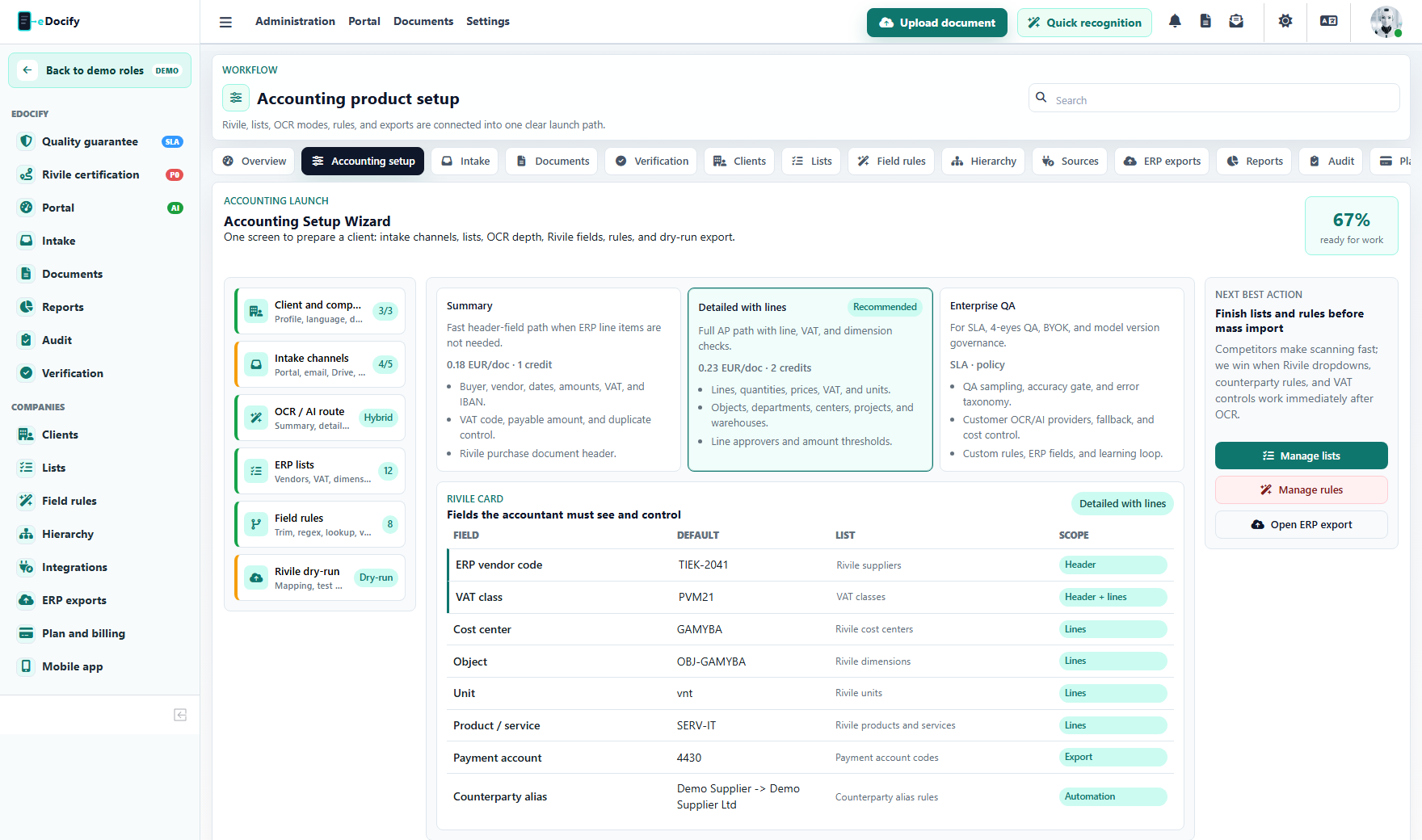
| Configure customer onboarding | Accounting setup or Clients | Company, product profile, document fields, OCR profile, and ERP profile are saved. |
| Configure document fields | Clients | Required fields, list bindings, visibility, and ERP mappings are ready for verification. |
| Configure lists | Lists | Reference lists are synced from manual, CSV, Rivile, SQL, custom API, or Bank of Lithuania source. |
| Configure field processing | Field rules | Rules normalize and validate OCR/AI output before verification. |
| Configure approval governance | Hierarchy | Document and line-level approval rules, thresholds, delegations, and roles are active. |
| Monitor audit evidence | Audit | Admin, document, intake, export, and demo events can be filtered and exported. |
| Manage archive policies | E-document archive | Retention, legal hold, disposition, and evidence package behavior is product scoped. |
Key screens
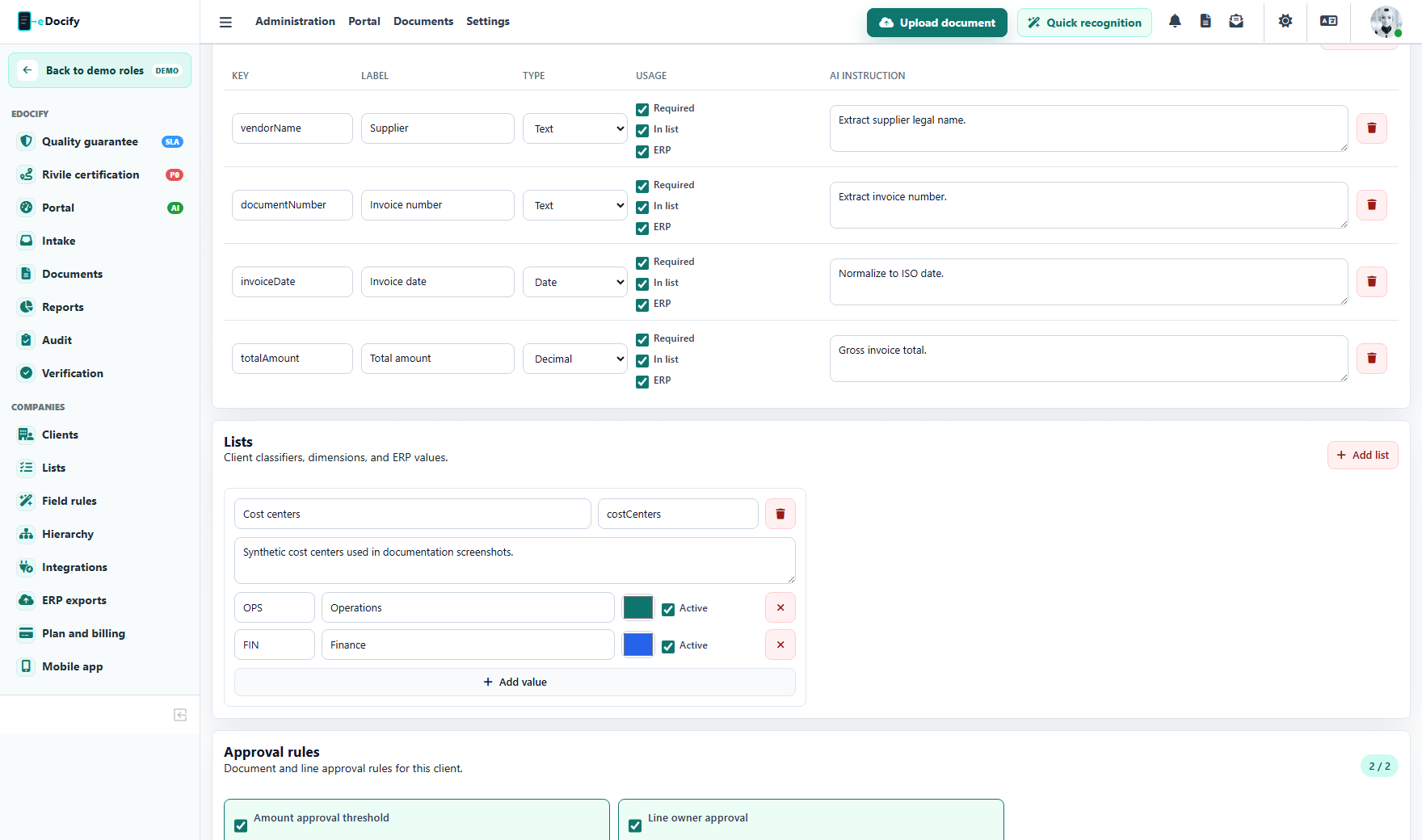
Use the client profile screen to decide which fields appear in the document card, which are required, and which values are bound to dictionaries or ERP mappings.
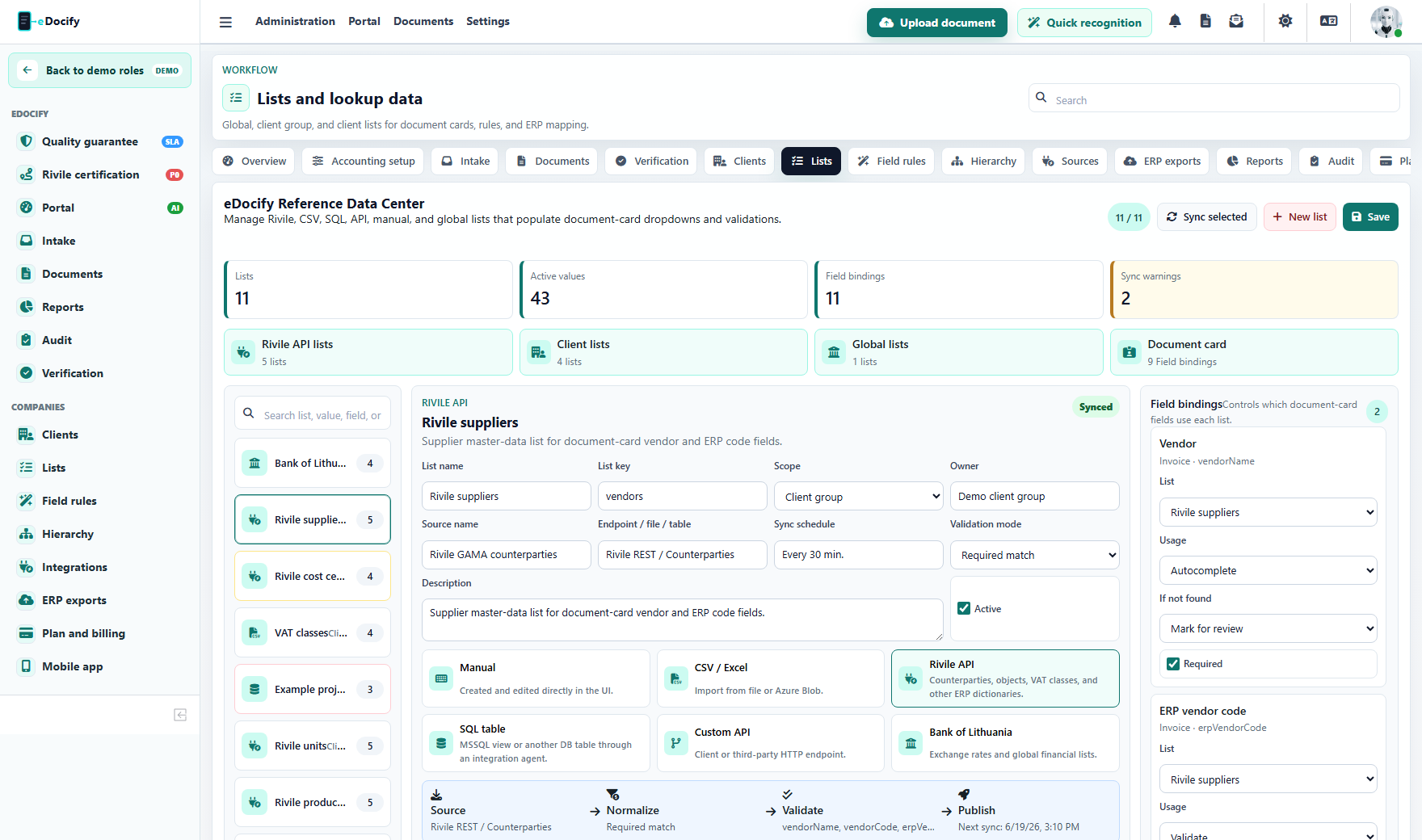
Use Lists for suppliers, ERP vendor codes, cost centers, VAT classes, currency rates, departments, and other selectable values.
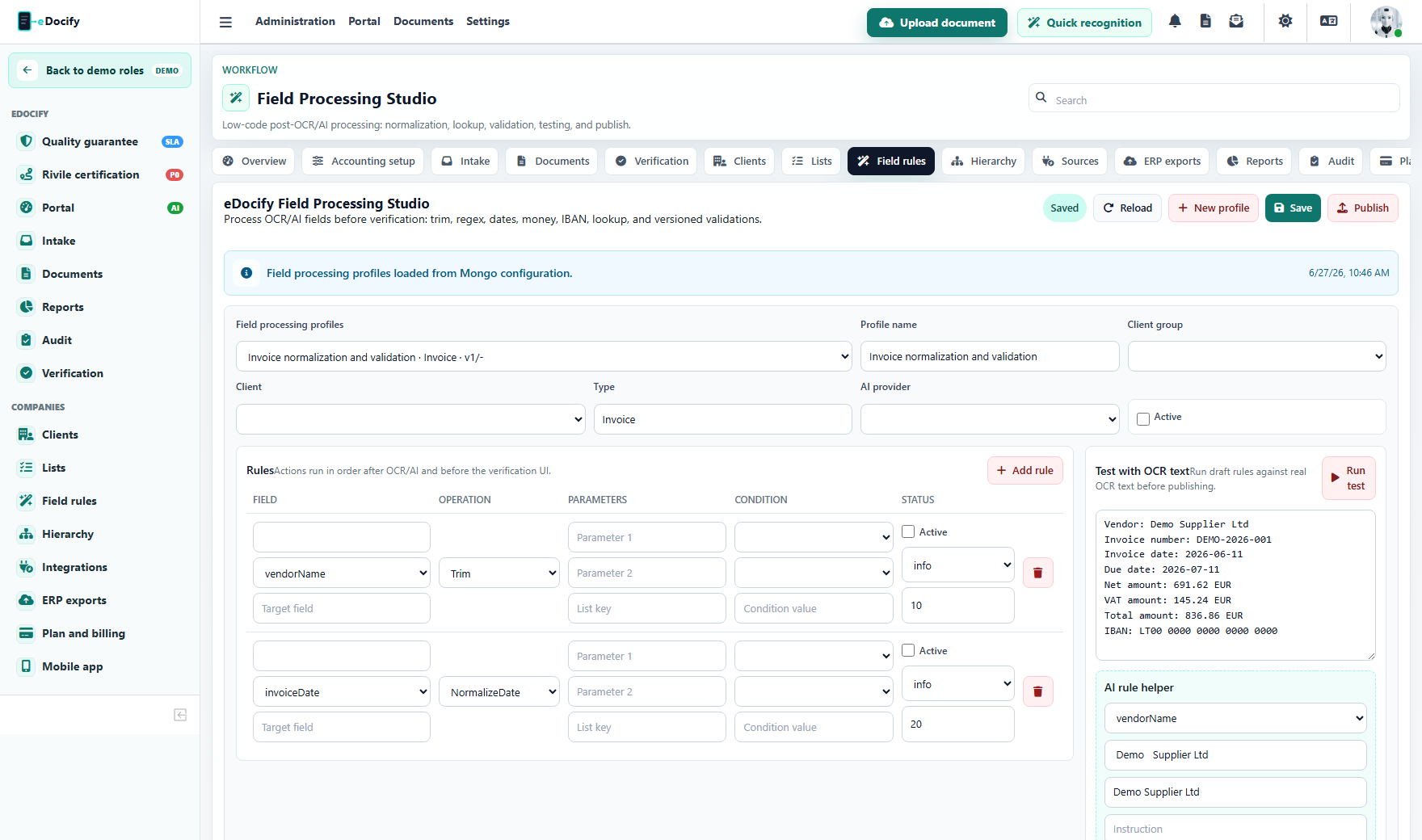
Use Field rules to trim, normalize, lookup, validate, publish, and rollback post-OCR processing logic.
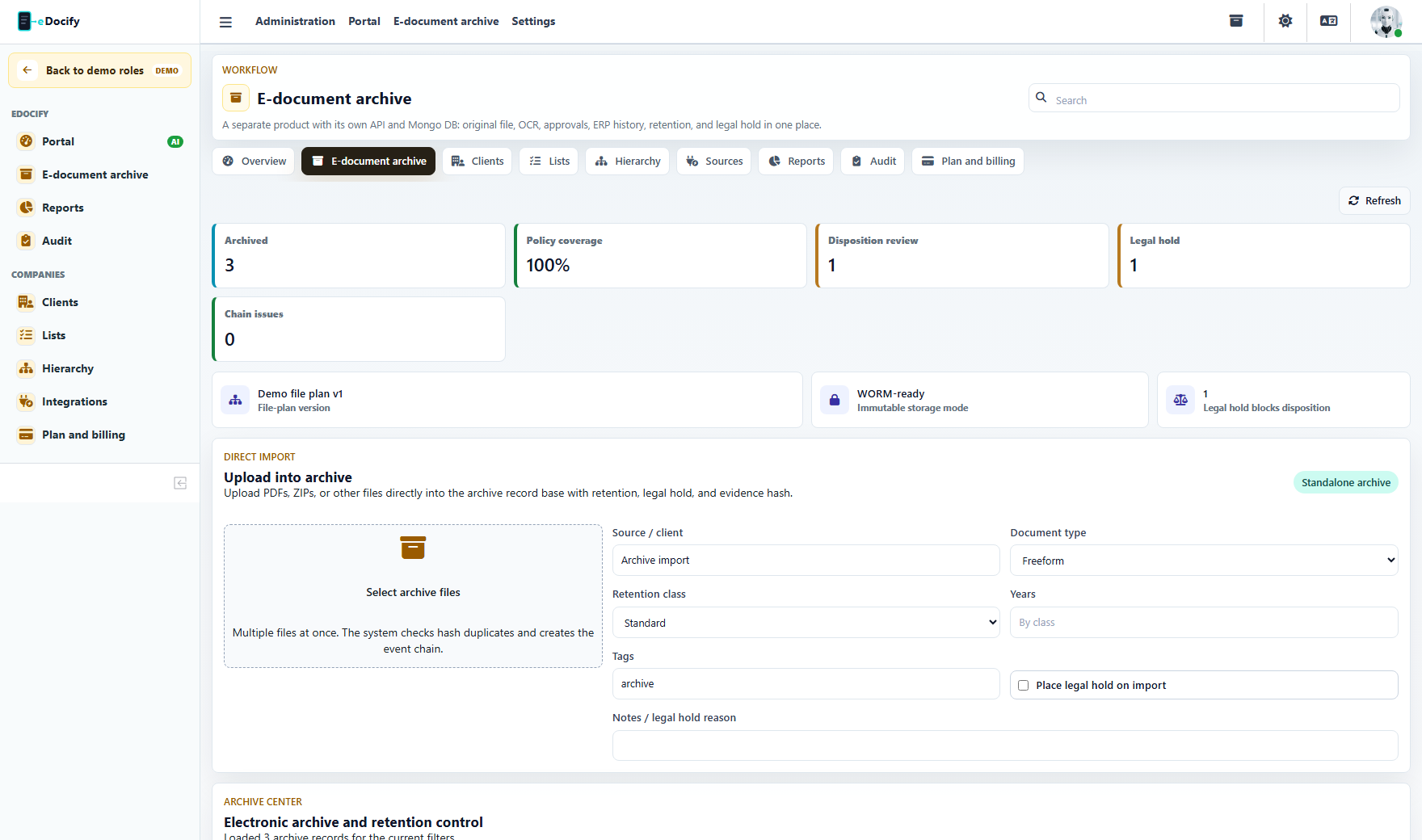
Archive administration must stay inside archive product scope. It should not expose accounting-only or AI Learning work unless the system admin deliberately switches product context.
Security expectations
- 2FA should be enabled.
- Break-glass access should require reason and time limit.
- All admin actions should write audit events with tenant, product, user, IP, and subject id.
- Development role override must be impossible in production.
- Client admin and tenant admin actions must be scoped below system admin privileges.
What this role must not do by accident
- It must not change another product sandbox while working inside a selected demo sandbox.
- It must not expose AI Learning to archive-only users.
- It must not allow production secrets to be visible in normal UI.
- It must not bypass per-company access rules without an audited reason.
Demo test path
- Open the demo picker and choose a product.
- Enter as Sandbox admin.
- Confirm the left menu matches the selected product.
- Open Clients, Lists, Field rules, Hierarchy, Integrations, Reports, Audit, and Billing.
- Confirm each click changes state or opens the expected screen, not a static placeholder.