Runs and schedules
Runs show what happened during an import or export. Schedules control when the same workflow repeats.
Run dashboard
Use the dashboard to inspect recent activity and decide what needs attention.
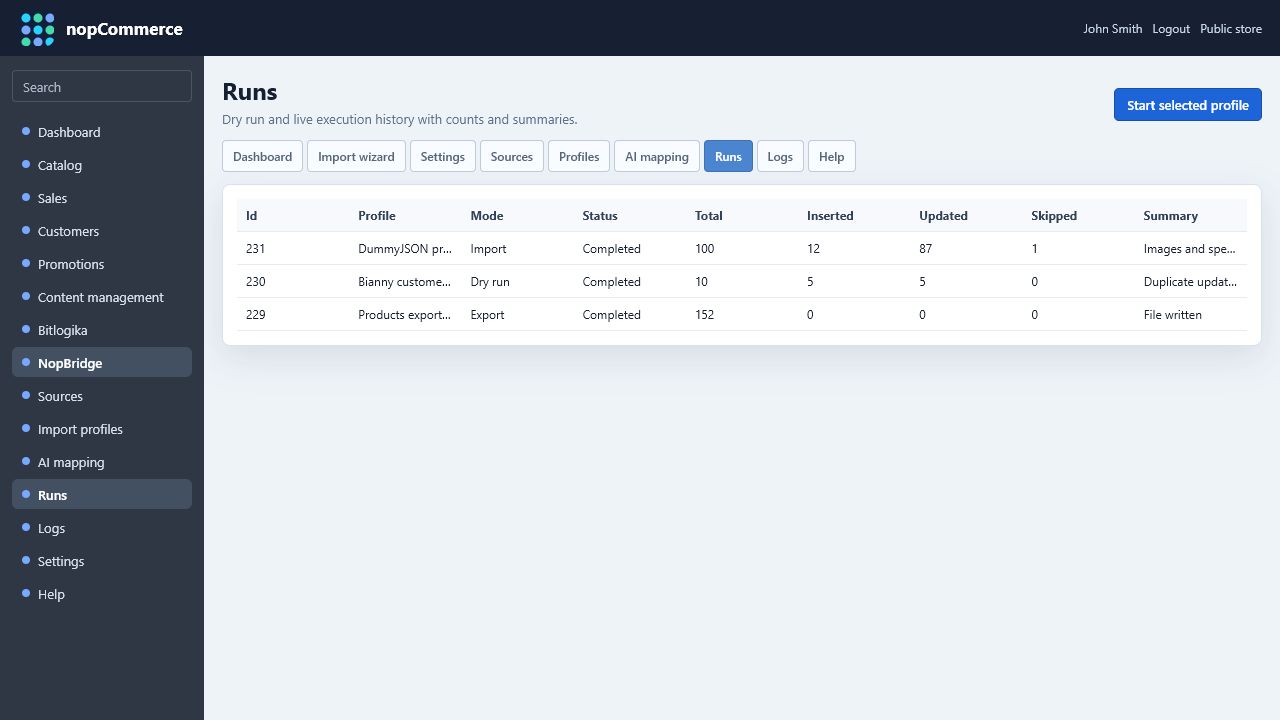
Important run signals:
- Status: queued, running, completed, warning, failed.
- Entity type: products, customers, or another supported entity.
- Operation: import or export.
- Created count.
- Updated count.
- Skipped count.
- Error count.
- Start and finish time.
Manual run
Use manual runs when:
- Testing a new source.
- Validating mapping changes.
- Importing one-time customer data.
- Replaying a failed import after fixing the source.
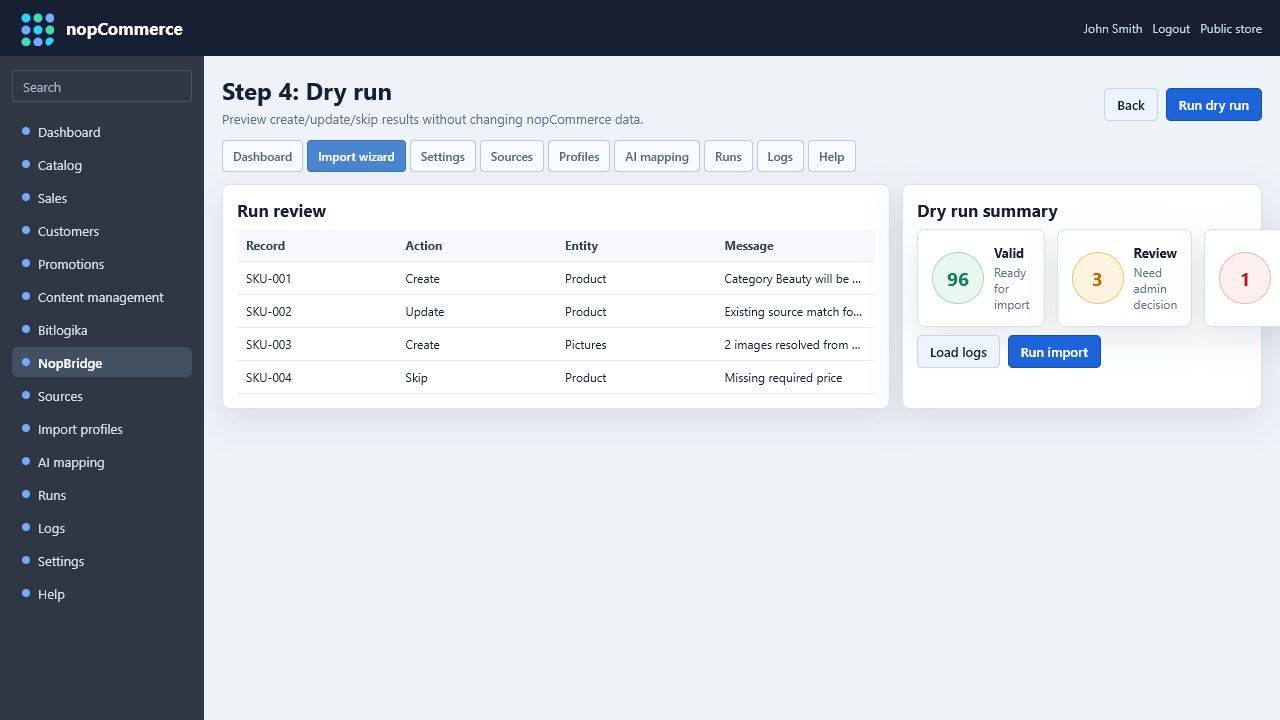
Recommended manual test:
- Run dry run.
- Review warnings.
- Run real import.
- Open several imported records.
- Run the same import again to confirm update behavior.
Use dry run before live import when the mapping changed.
Scheduled run
Use scheduled runs when a source updates repeatedly.
Common schedules:
| Frequency | Typical use |
|---|---|
| Hourly | Stock and price feeds |
| Daily | Supplier product catalog updates |
| Weekly | Low-change catalog enrichment |
| Manual only | One-time migration or risky workflows |
Run only when source changed
When available, enable source freshness checks. This prevents unnecessary imports when the file, API payload, or source timestamp did not change.
Freshness checks can use:
- File modified time.
- API
ETagorLast-Modified. - Source checksum.
- Database max updated timestamp.
- Connector-provided change token.
Source retention options
For file-based sources, configure retention rules when the profile is stable.
Useful options:
- Move imported file to a dated backup folder.
- Delete old source file after successful import.
- Keep failed source files for troubleshooting.
- Save a masked sample for audit.
- Keep run logs long enough to support customer questions.
Failure handling
When a run fails:
- Open the run details.
- Read the first error and the first skipped record reason.
- Check whether the source file changed shape.
- Validate credentials.
- Run dry run again after the fix.
- Keep the failed sample until the issue is solved.